

Controls
Every change is recorded
Every change made through MCP is recorded in the audit log, under the name of the person whose connection made it. Admins see it in Settings → Audit logs. Set Surface to MCP to see only changes made through MCP connections.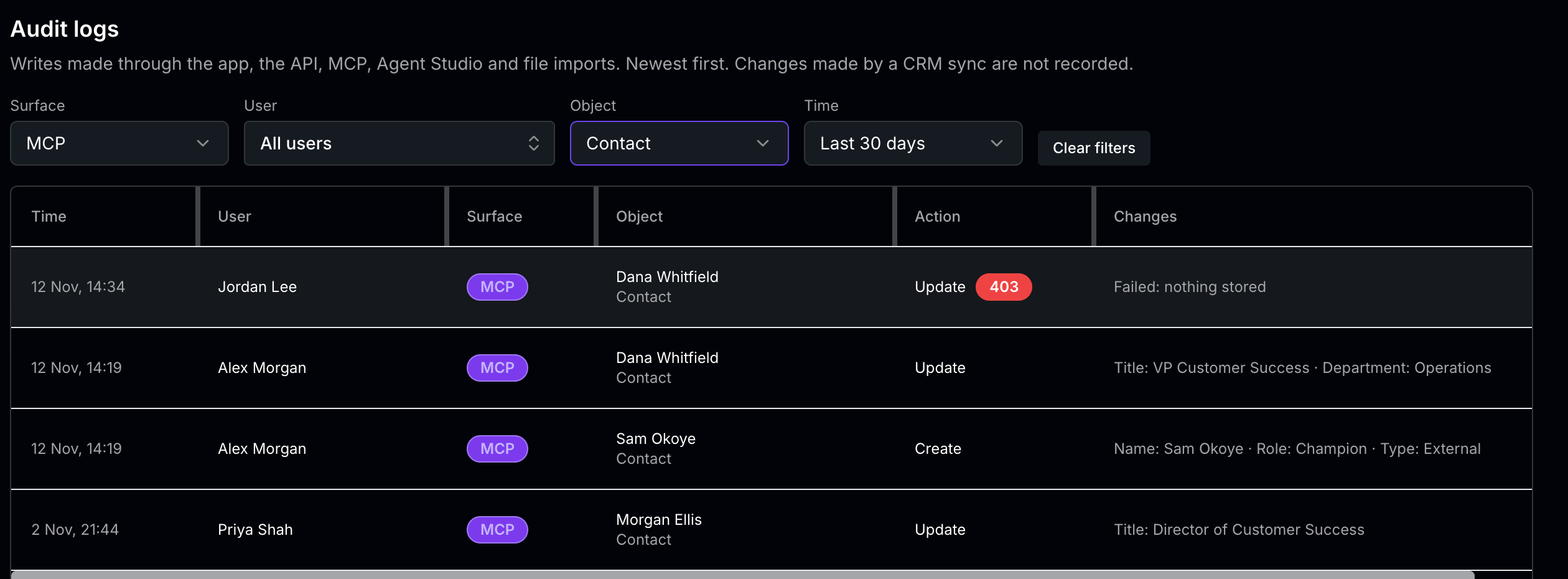 Each row shows the time, the person, the MCP surface, the record that changed, the action, and the fields that changed. A refused or failed attempt carries its status, such as 403, and shows Failed: nothing stored. Connecting, and replacing an earlier connection, are recorded too, under the object Mcp connection. For everything the audit log records and how to filter it, see Audit logs.
The audit log records changes. Questions Claude answers by reading your data aren’t recorded there.