

Video Tutorial
In this article, we’ll learn how to set a default view on the Accounts page. This ensures that every time you visit the Accounts page, your preferred view is displayed. Step 1: Navigate to the view you wish to set as default on the Accounts page. Step 2: Click on the three dots.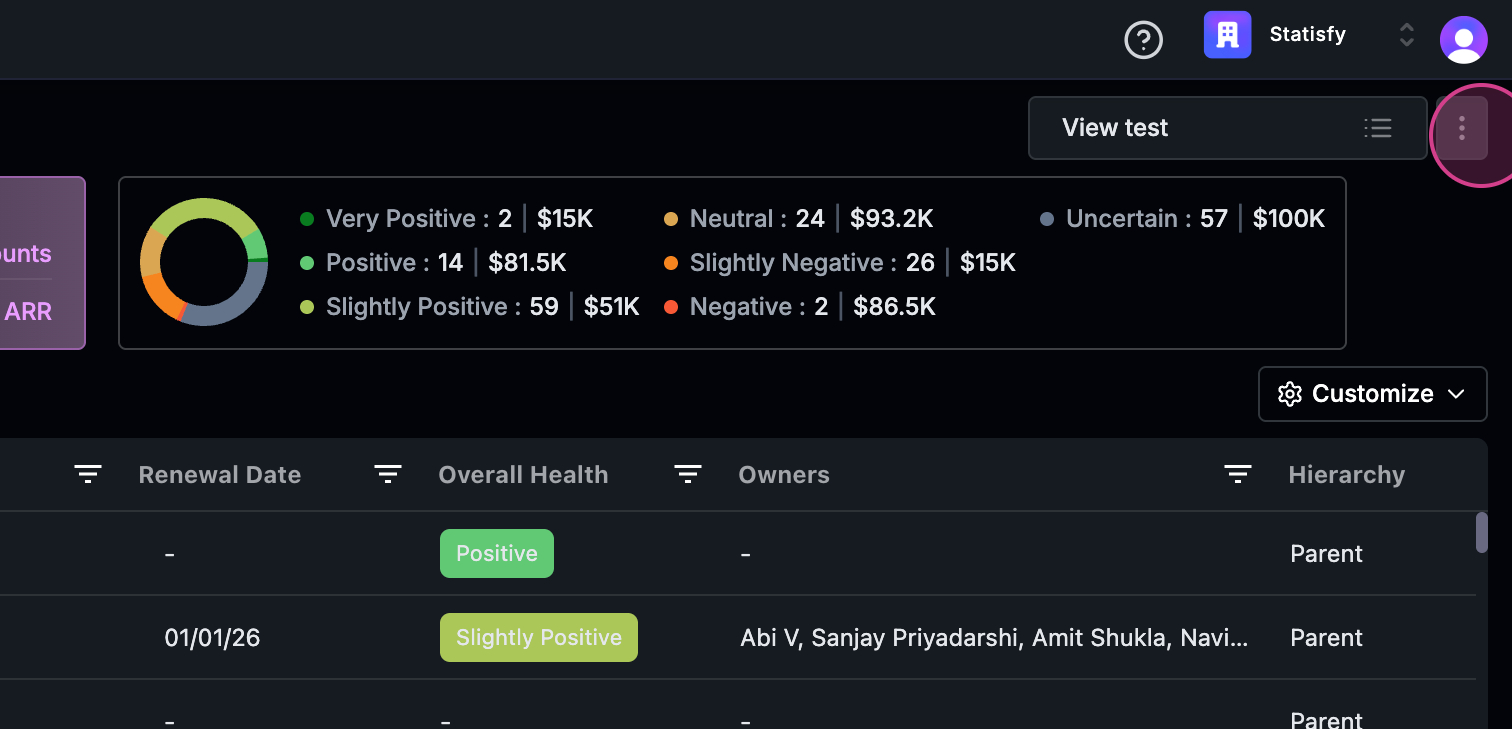 Step 3: From the dropdown menu, select Mark view as default.
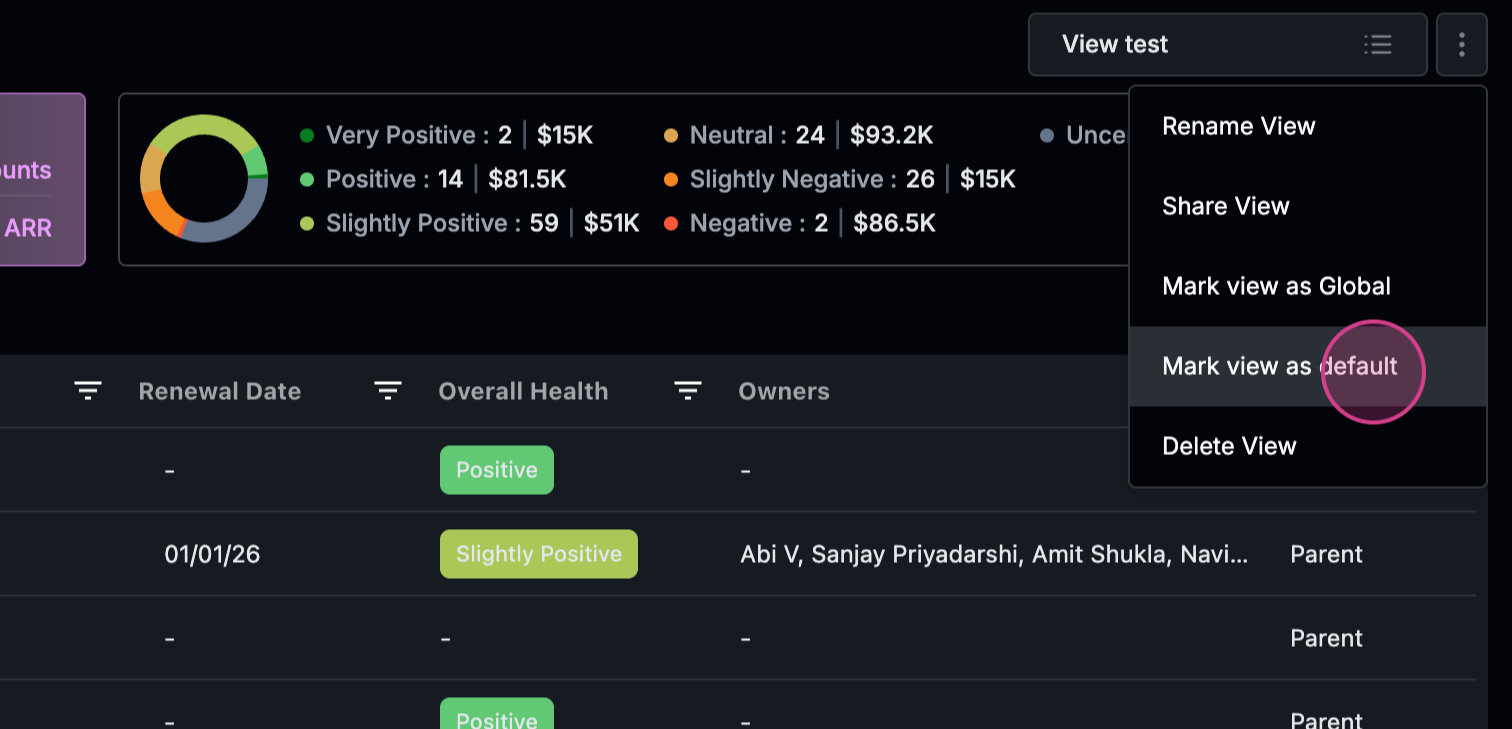 That’s it! You’ve successfully set your default view.