

Prerequisites
- An existing project open in the Manage > Projects section
- Familiarity with adding tasks via the Add Task/Milestone button in the project task grid
- To reparent tasks via drag and drop, the project must be a Statisfy-native project (see Reorder & Reparent Tasks)
Task Hierarchy
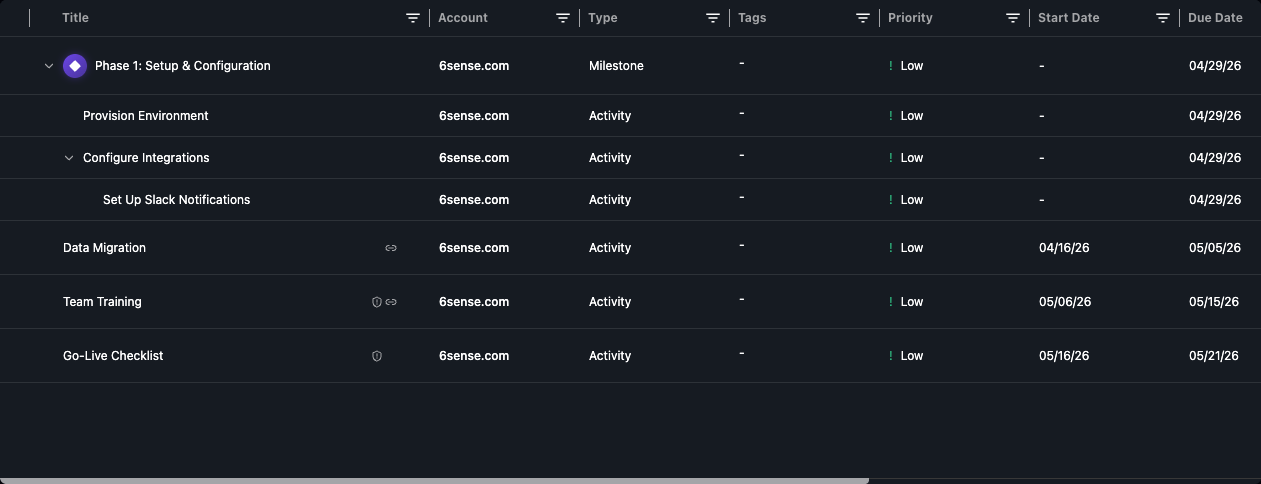
Every project task exists at a specific level in the tree:- Root tasks sit at the top level of the project
- Subtasks are children of a root task
- Sub-subtasks are children of a subtask (only available under milestones)
Milestones
Milestones are a special task type that represent significant project checkpoints. They differ from regular tasks in one key way: milestones allow one extra level of nesting. To create a milestone, select Milestone as the task type when adding a new root-level task.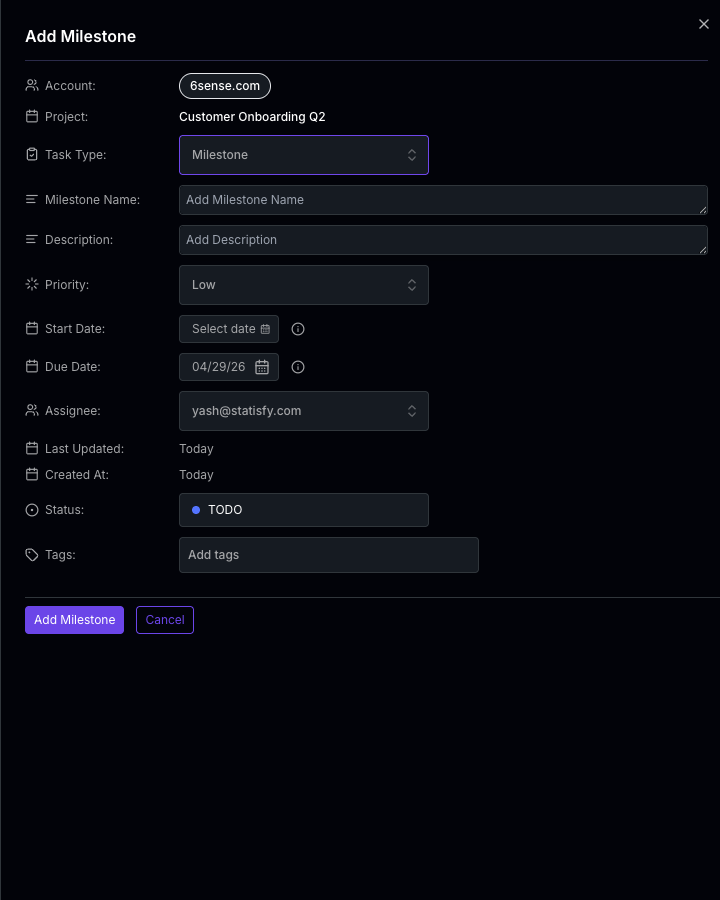
Milestones must be created at the root level of a project. You cannot convert an existing subtask into a milestone.
Depth Limits
The maximum nesting depth depends on the root task type:
These depth limits also apply when reparenting tasks via drag and drop — the system checks the full subtree depth of the task being moved to ensure the target location doesn’t exceed the limit.
How Hierarchy Interacts with Dependencies
Task dependencies can only be created between sibling tasks — tasks that share the same parent. This means:- Two root-level tasks can depend on each other
- Two subtasks under the same parent can depend on each other
- A root-level task and a subtask cannot depend on each other
Related Pages
Task Dependencies & Auto-Cascade
Manage blocking relationships and automatic date cascading
Reorder & Reparent Tasks
Use drag and drop to restructure your task hierarchy