

Video Tutorial
In this article, you’ll learn how to rename a view. Step 1: Select the view you want to rename.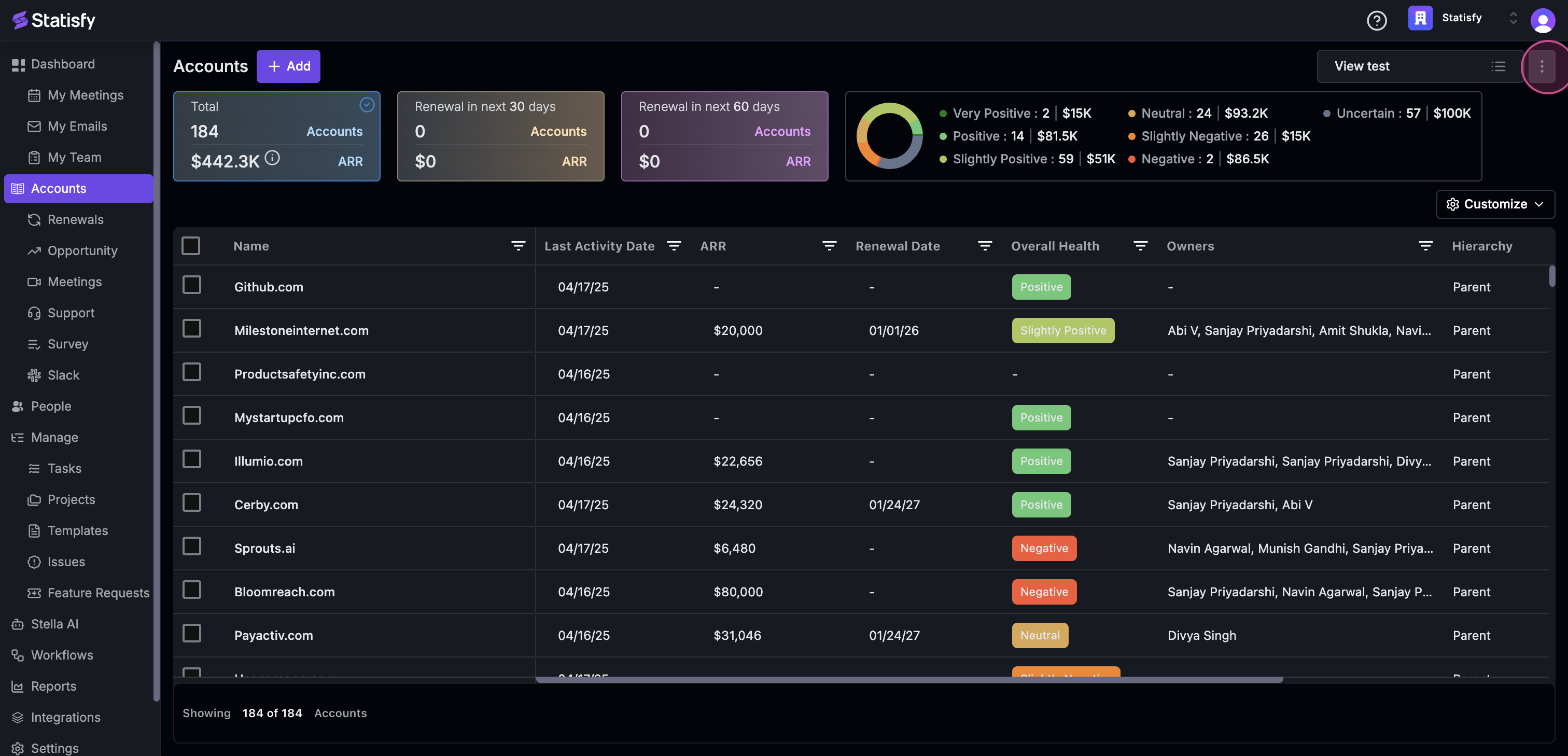 Step 2: Click on the three dots next to it.
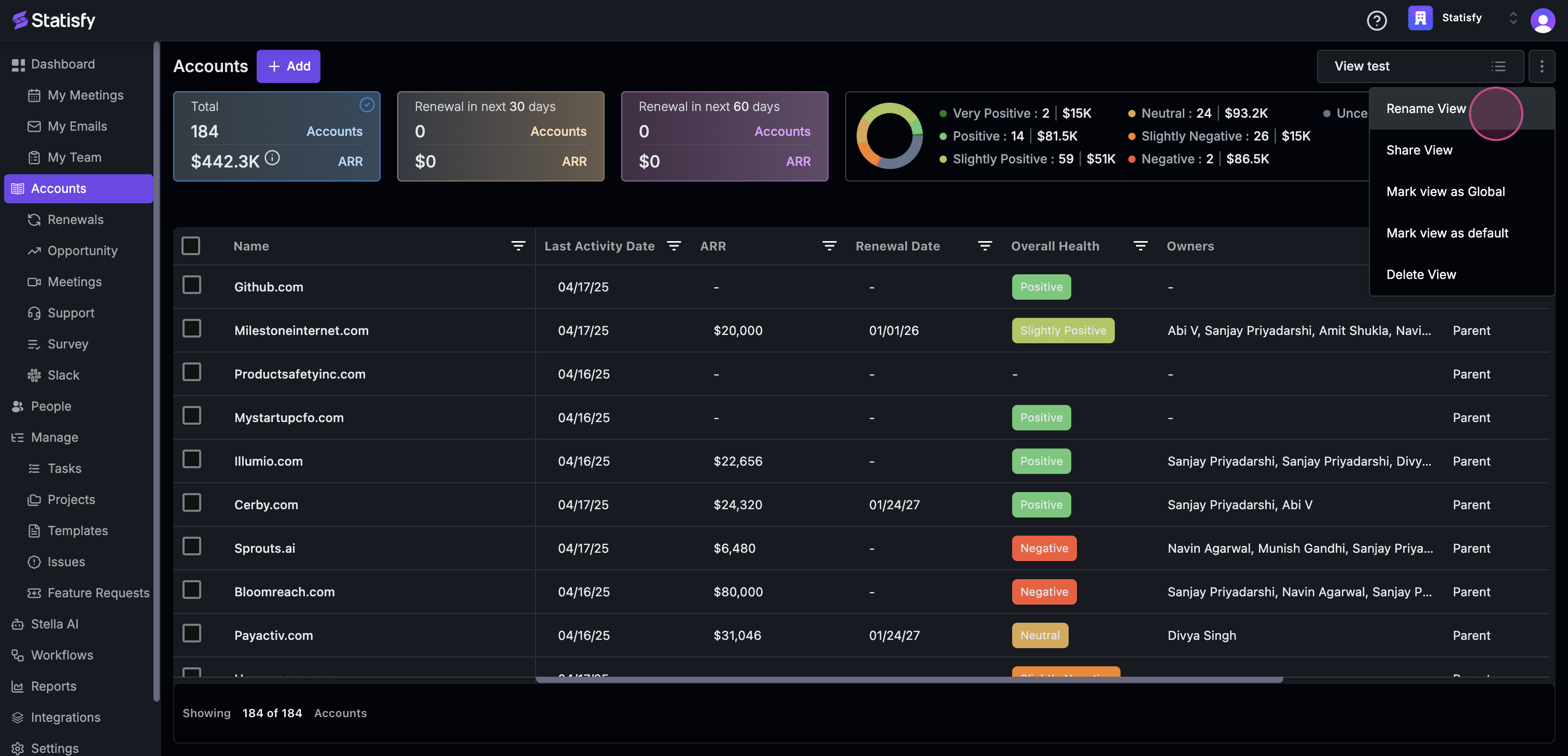 Step 3: Click on rename view and make the desired change.
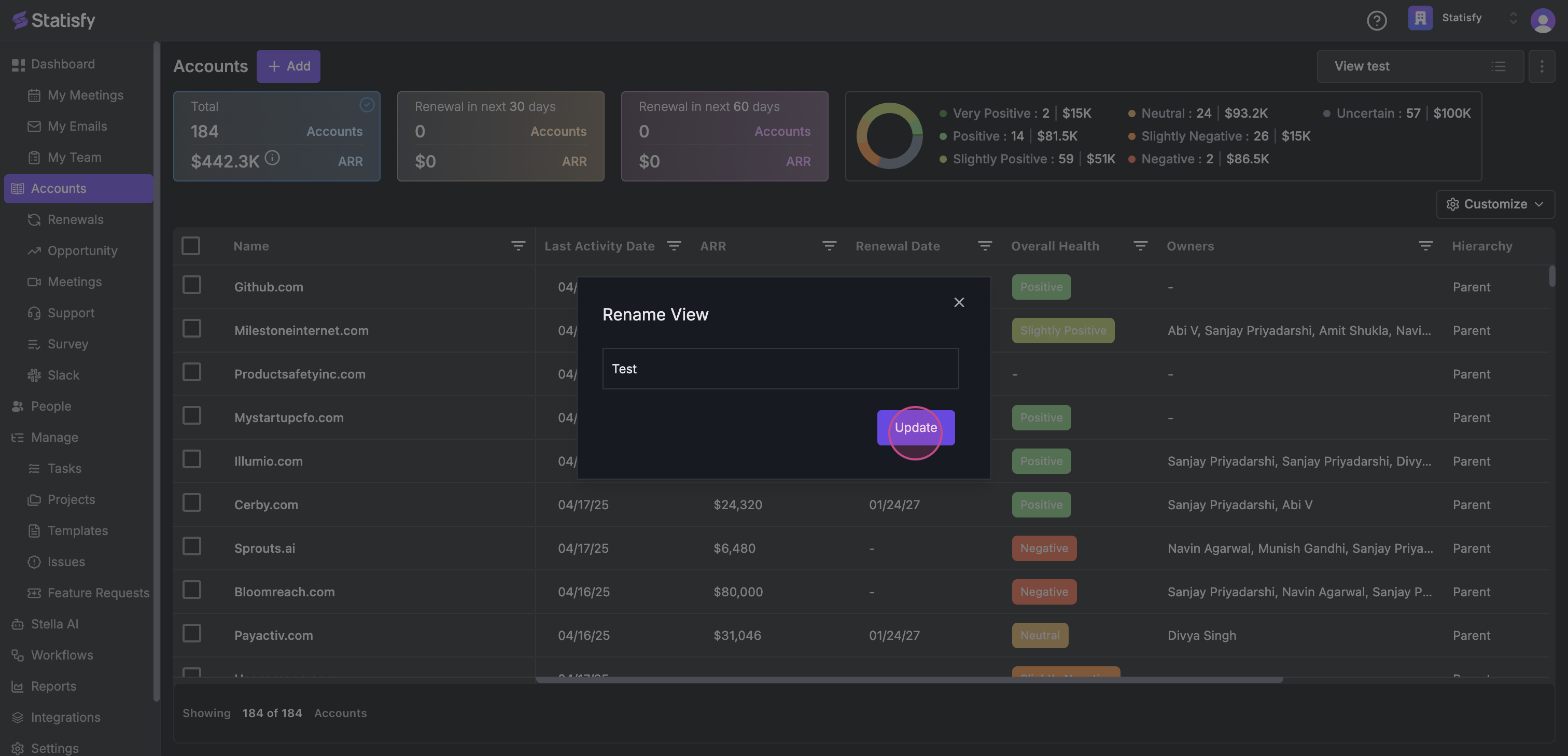 Step 4: Click on update.
And that’s it! You’ve successfully renamed the view.
Step 4: Click on update.
And that’s it! You’ve successfully renamed the view.