

Video Tutorial
In this article, you’ll learn how to delete a view in a few simple steps. Step 1: Navigate to the view you wish to delete.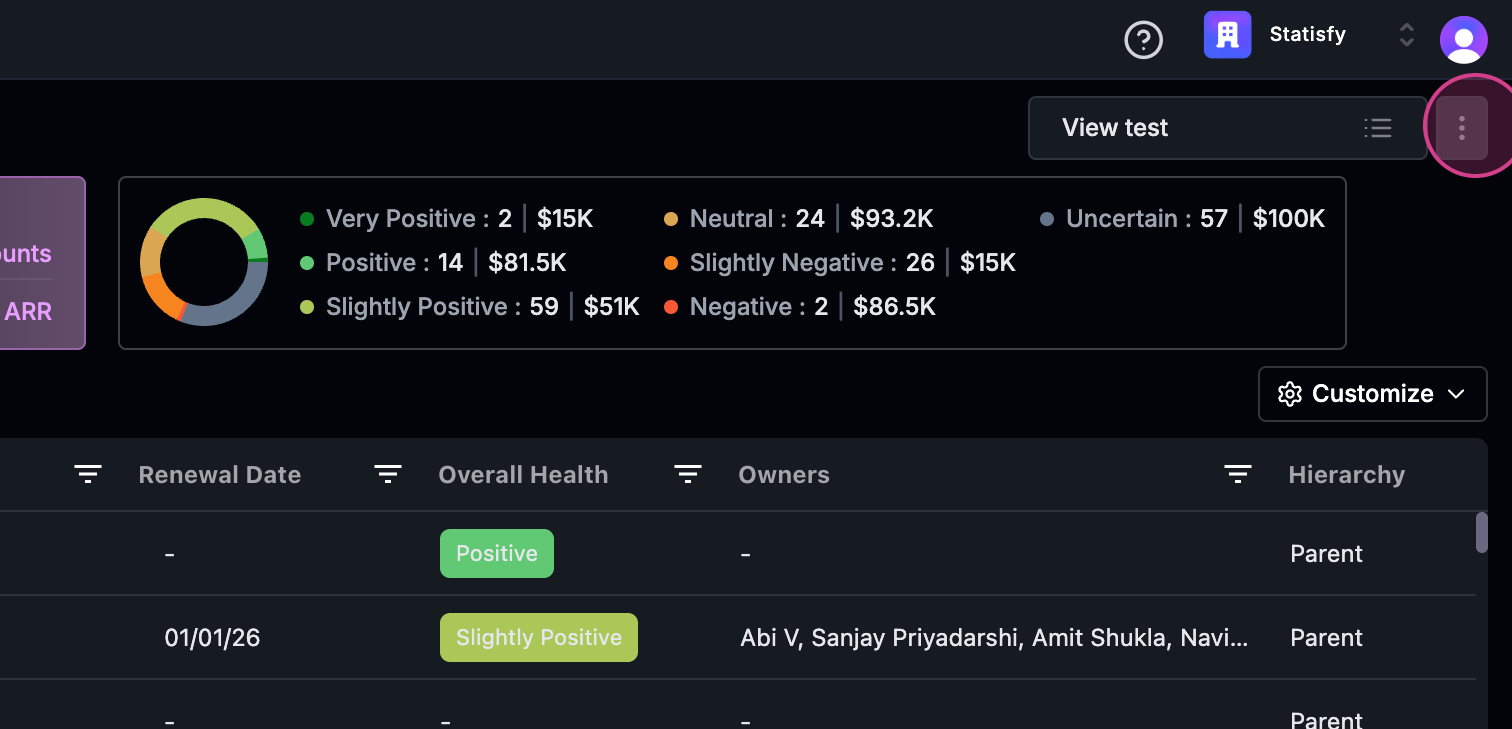 Step 2: Click on the three dots next to the view.
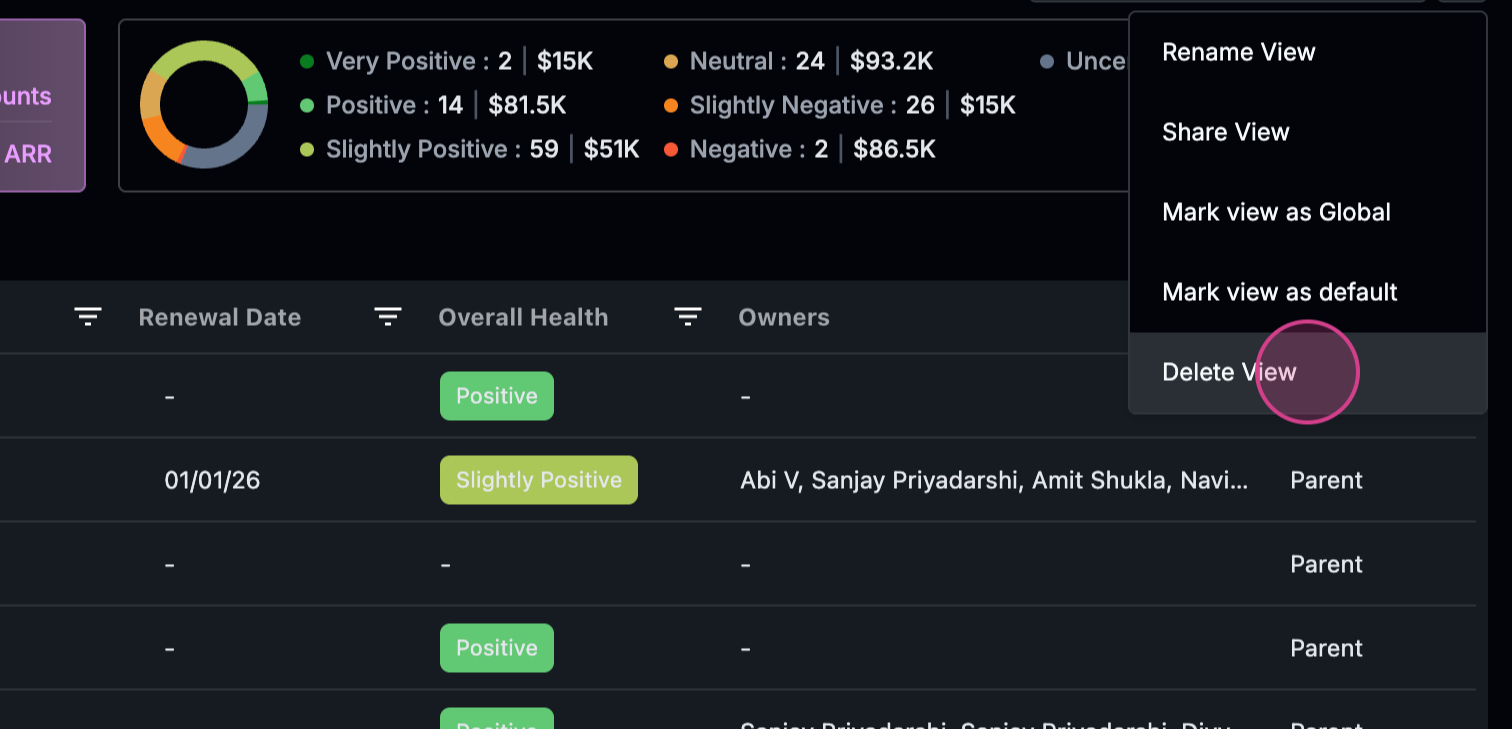 Step 3: From the dropdown menu, select Delete View.
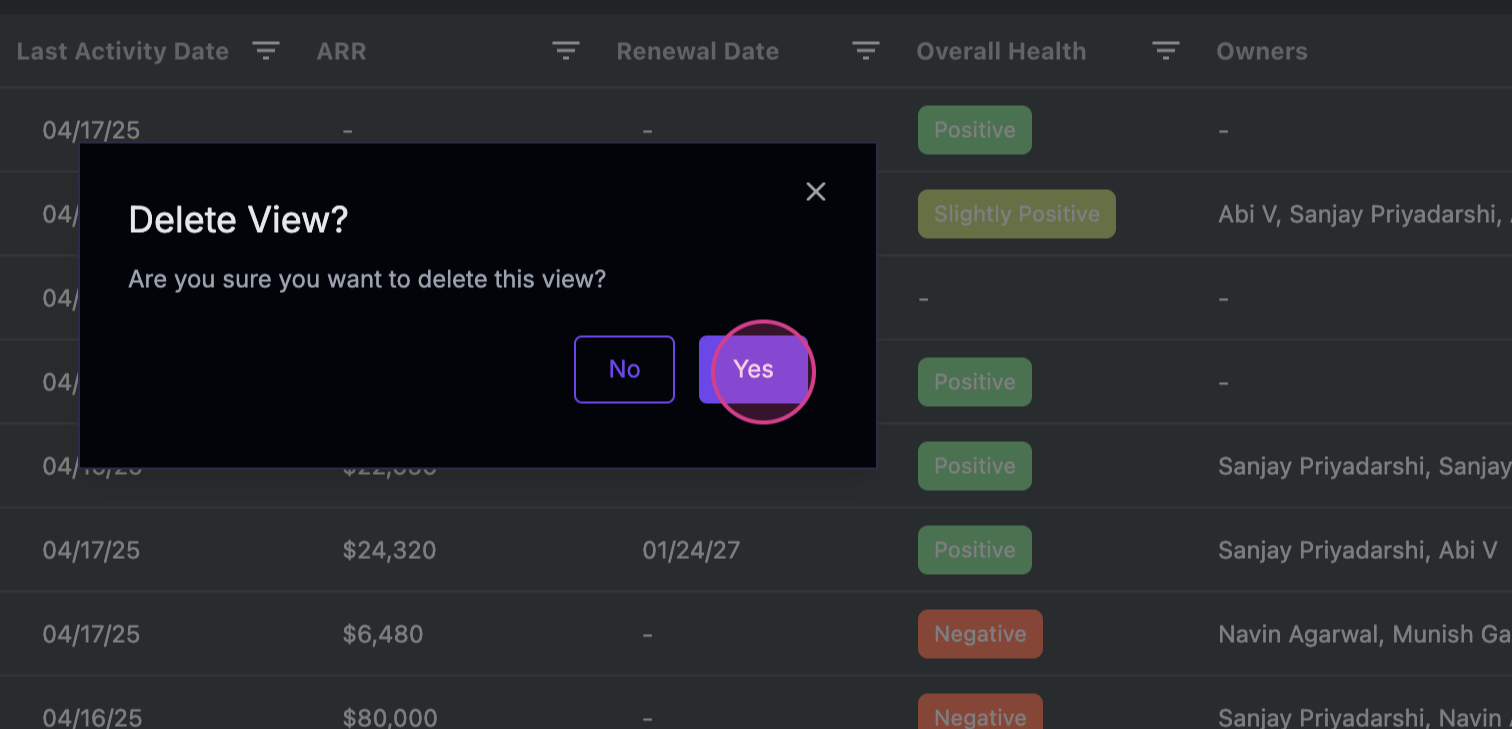 Step 4: Confirm that you want to delete the view. Once confirmed, the view will be deleted.