

Video Tutorial
In this article, you’ll learn how to manually add a new task. Step 1: Navigate to the Task section and click on Add Task.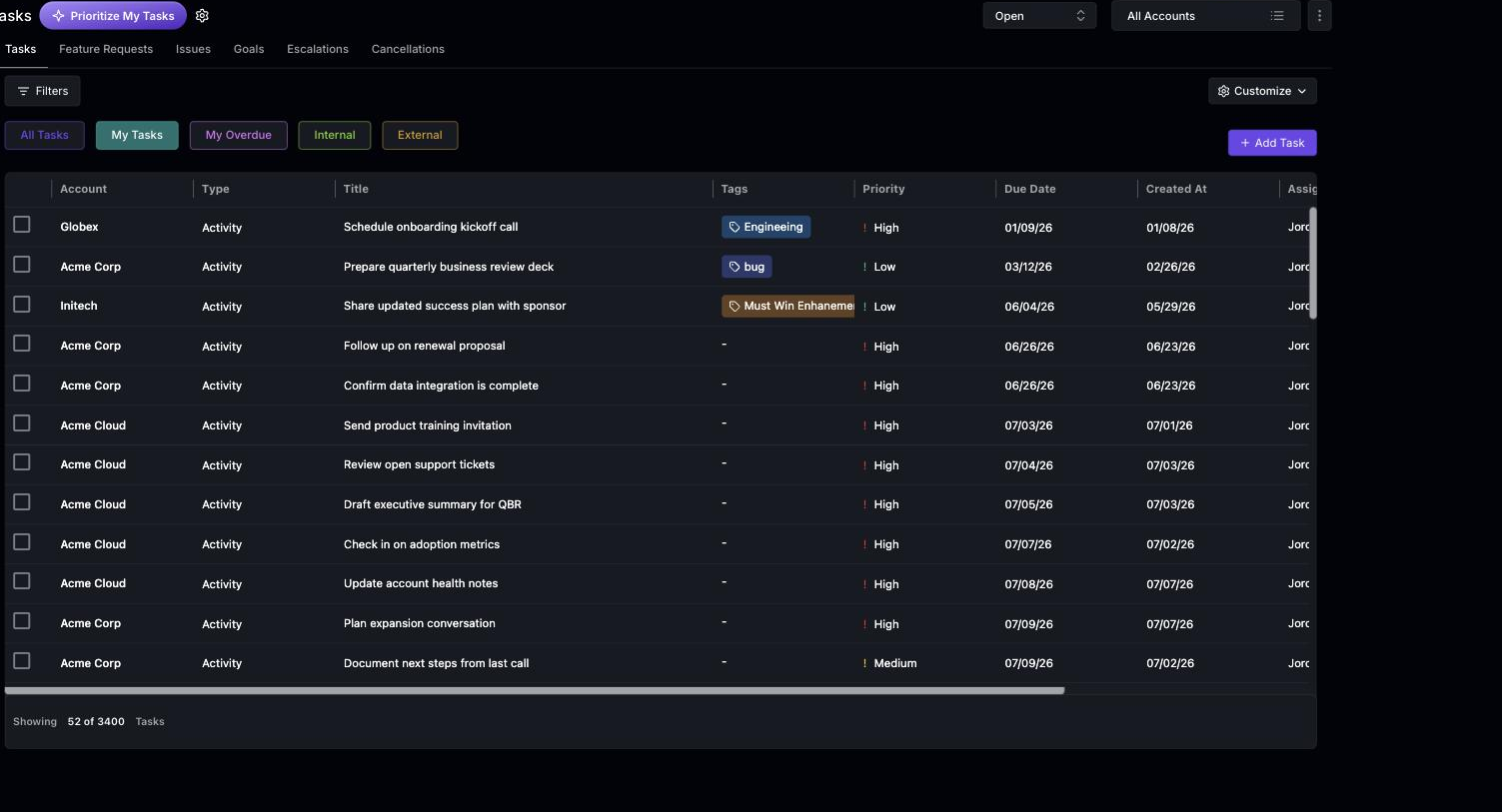 Step 2: Choose the account for which you’re creating the task.
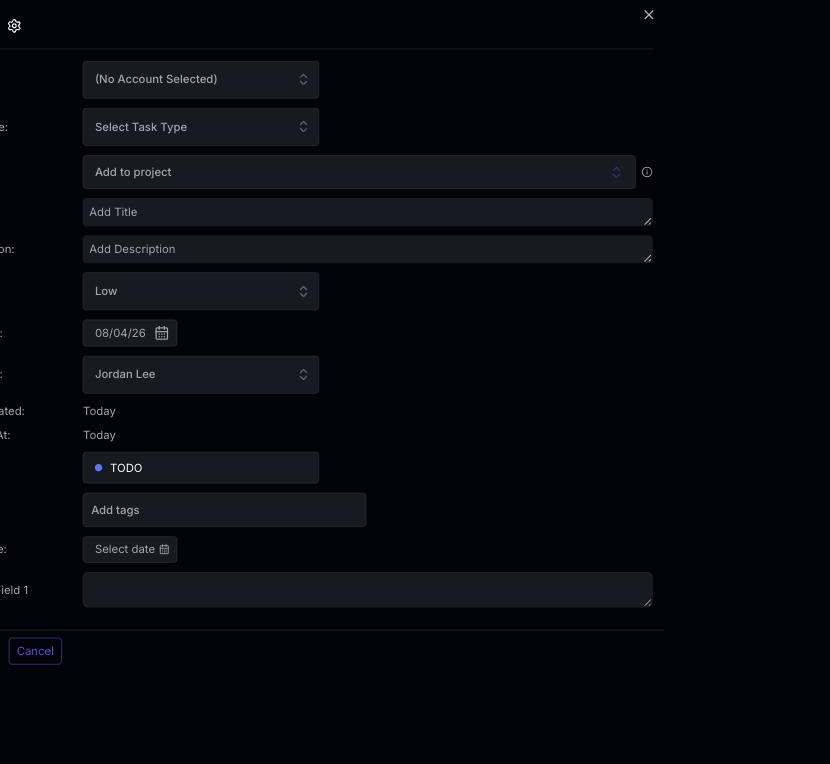 Step 3: Select the type of task. Note that these task types are editable by the admin.
Step 4: Enter a title for your task.
Step 5: Set the priority level of the task. It could be low, medium, or high.
Step 6: Set a due date for the task.
Step 7: Assign the task to a team member.
Step 8: Set the initial status of the task. Remember, you’re able to change this status as the task progresses.
Step 9: Optionally, add a tag to your task. This is also editable by the admin.
Step 10: Finally, click on Add Task to create your task.
Step 3: Select the type of task. Note that these task types are editable by the admin.
Step 4: Enter a title for your task.
Step 5: Set the priority level of the task. It could be low, medium, or high.
Step 6: Set a due date for the task.
Step 7: Assign the task to a team member.
Step 8: Set the initial status of the task. Remember, you’re able to change this status as the task progresses.
Step 9: Optionally, add a tag to your task. This is also editable by the admin.
Step 10: Finally, click on Add Task to create your task.