

Video Tutorial
In this article, you’ll learn how to edit a task and add comments in a few simple steps.Tasks that belong to a project synced from an external tool (for example, Wrike) open in read-only mode — you can view the task and read its comments, but its fields can’t be edited here; make those changes in the source tool. Tasks created in Statisfy are fully editable.
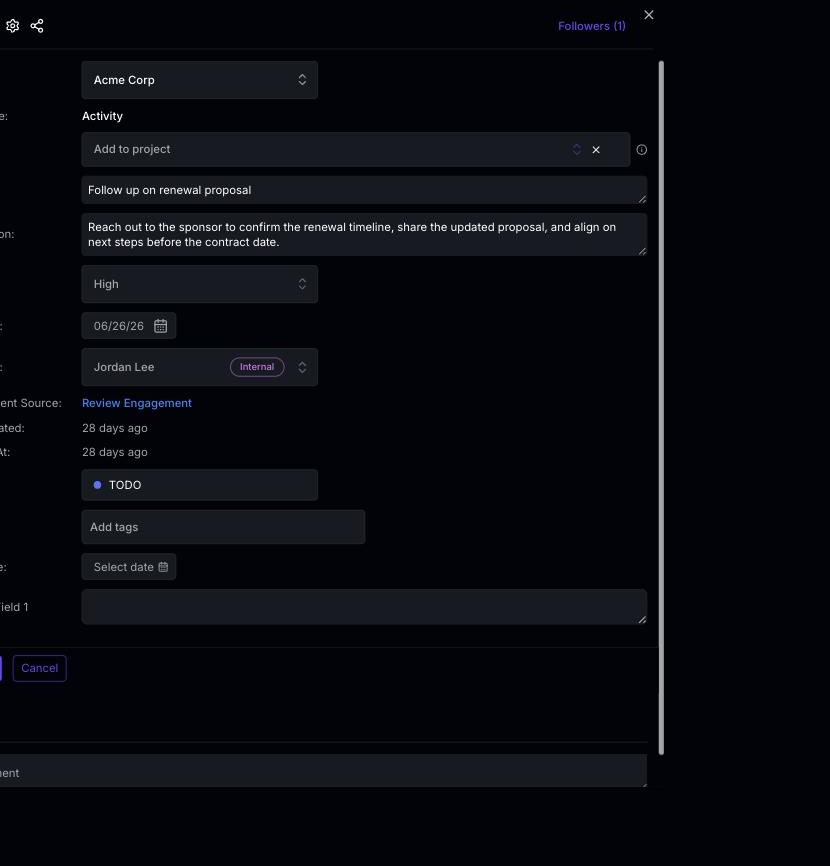 Step 2: Now, you’re ready to edit the task details. Begin with the task’s priority.
Step 3: Next, modify the assignee of the task.
Step 4: Adjust the status of the task.
Step 5: Enhance your task by adding new tags.
Step 6: If necessary, add a new comment to the task. Remember to hit the Save button to keep your comment.
Step 7: Finally, click on Save task to finalize your edits.
And that’s it! You’ve successfully edited a task and added a comment.
Step 2: Now, you’re ready to edit the task details. Begin with the task’s priority.
Step 3: Next, modify the assignee of the task.
Step 4: Adjust the status of the task.
Step 5: Enhance your task by adding new tags.
Step 6: If necessary, add a new comment to the task. Remember to hit the Save button to keep your comment.
Step 7: Finally, click on Save task to finalize your edits.
And that’s it! You’ve successfully edited a task and added a comment.
If this task belongs to a project with auto-cascade dates enabled, changing the task’s start or due date may automatically shift dependent tasks, subtasks, and parent task end dates. See Task Dependencies & Auto-Cascade Dates for details.