

How Unsubscribe Works
Every campaign email sent through Statisfy includes an unsubscribe mechanism. When a recipient clicks the unsubscribe link:- They are directed to a confirmation page
- Upon confirming, they are marked as unsubscribed
- Future campaign emails are suppressed for that contact
- The unsubscribe is recorded in the campaign analytics
Unsubscribe Links in Emails
When building email templates in the Email Builder, most templates must include an unsubscribe link. The one exception is templates with the Updates template type — these are for transactional messages such as product or service updates, and they can be published without an unsubscribe link. All other template types (Promotion, Newsletter, and Custom) still require one. Statisfy provides two ways to add it: Using the editor block:- Open the email editor.
- From the content block palette, drag the Unsubscribe block into your template.
- The link text and styling can be customized.
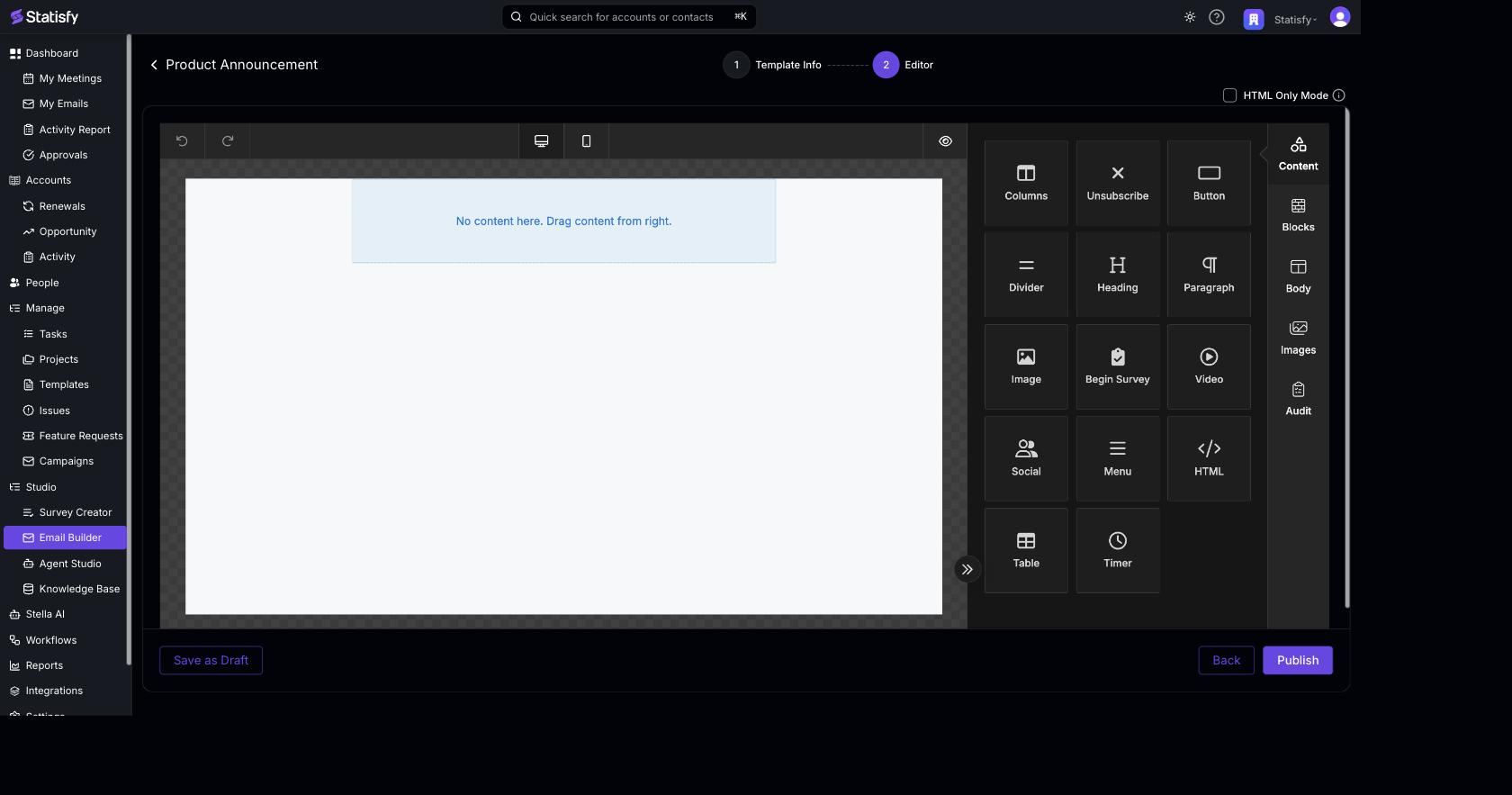 Using Merge Tags:
Insert
Using Merge Tags:
Insert {{ unsubscribe_this }} in any text block to add an unsubscribe URL.
Managing Unsubscribed Contacts
Unsubscribed contacts are tracked at the campaign level:- Unsubscribes are counted in the Blocked / Dropped / Unsubscribed total in a campaign’s Email Analytics view
- Unsubscribed contacts are automatically excluded from future sends of the same campaign
- If a contact unsubscribes from one campaign, they are excluded from all future campaigns unless they re-subscribe
Re-subscribing
Contacts cannot re-subscribe themselves through Statisfy. If a contact wants to receive emails again:- Navigate to the contact’s detail page in People & Contacts
- Update their subscription status
- The contact will be eligible for future campaigns
Re-subscribing a contact should only be done with their explicit consent. Always verify the contact’s preference before changing their subscription status.
Compliance
Statisfy’s unsubscribe functionality helps you comply with:- CAN-SPAM Act — Requires a clear opt-out mechanism in commercial emails
- GDPR — Requires consent management for email communications
- CASL — Canadian anti-spam legislation requiring unsubscribe mechanisms