

Video Tutorial
This article will guide you through the process of exporting all tasks from a specific project. Step 1: Open the project whose tasks you want to export so its task grid is visible. Step 2: Right-click anywhere in the task grid to open the context menu, then hover Export.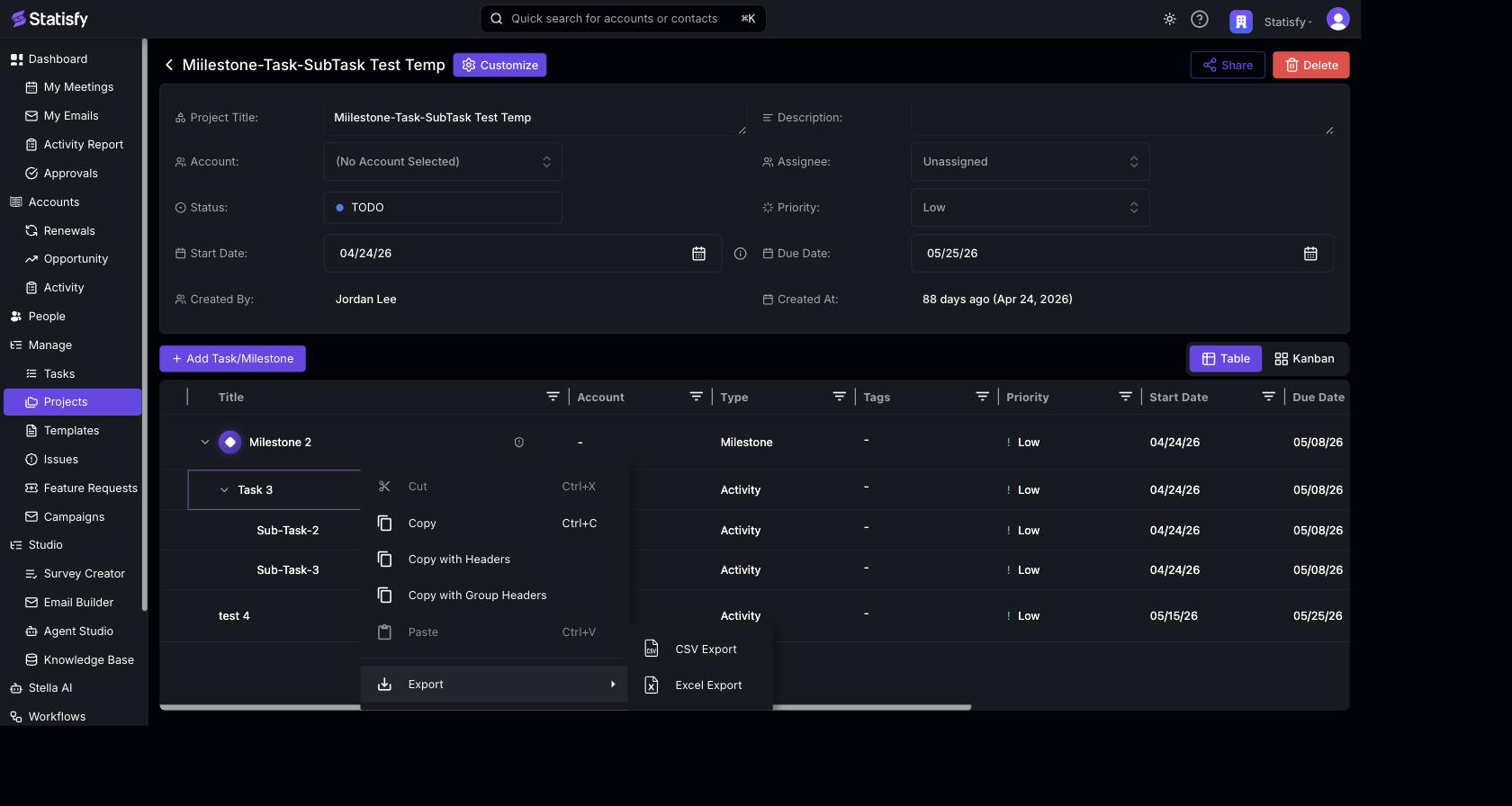 Step 3: Choose CSV Export or Excel Export, and the file downloads to your device.
And that’s it! You’ve successfully exported your tasks.
Step 3: Choose CSV Export or Excel Export, and the file downloads to your device.
And that’s it! You’ve successfully exported your tasks.