

Campaign Types
Email Campaigns
Send targeted emails to customer segments using customizable templates.
Survey Campaigns
Distribute surveys to collect feedback and measure customer sentiment.
Key Features
Campaign Statuses
Accessing Campaigns
Navigate to Campaigns from the main menu to view all campaigns, create new ones, manage audiences, and review analytics. The Campaign List tab shows each campaign’s name, type (Email or Survey), status, and schedule.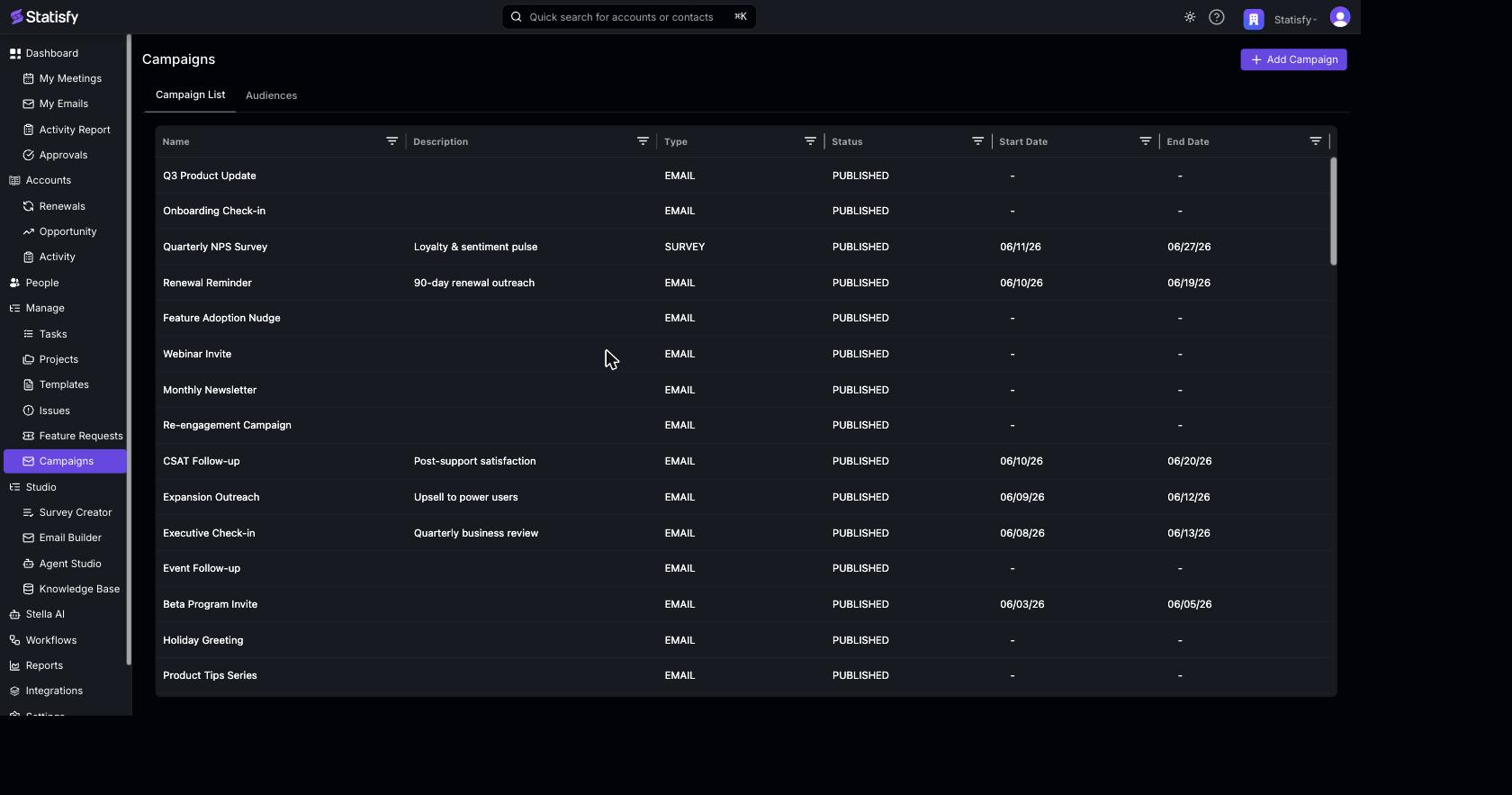
Workflow
- Create an Audience - Define who should receive your campaign
- Build Your Campaign - Choose type, template, and settings
- Test - Send test emails to verify content
- Publish - Launch the campaign
- Monitor - Track engagement and responses
Campaign Emails on Account Timelines
When a campaign email is sent, it automatically appears as an activity on the account timeline for each recipient’s account. This gives account owners and CSMs full visibility into all outreach — including mass campaigns — directly from the account page. Each campaign activity shows:- Campaign name
- Email subject line
- Date the email was sent
- Number of contacts at the account who received it
What You’ll Need
For Email Campaigns:- An email template
- A target audience (create in Audiences)
- Verified sender domain (configured by admin)
- A survey
- An email template for distribution
- A target audience
Next Steps
- Creating Campaigns - Step-by-step guide
- Email Templates - Design reusable, personalized emails
- Surveys - Build and distribute NPS, CSAT, and custom surveys
- Personalization & Merge Tags - Personalize email for every recipient
- Managing Audiences - Target the right customers
- Campaign Analytics - Track results