

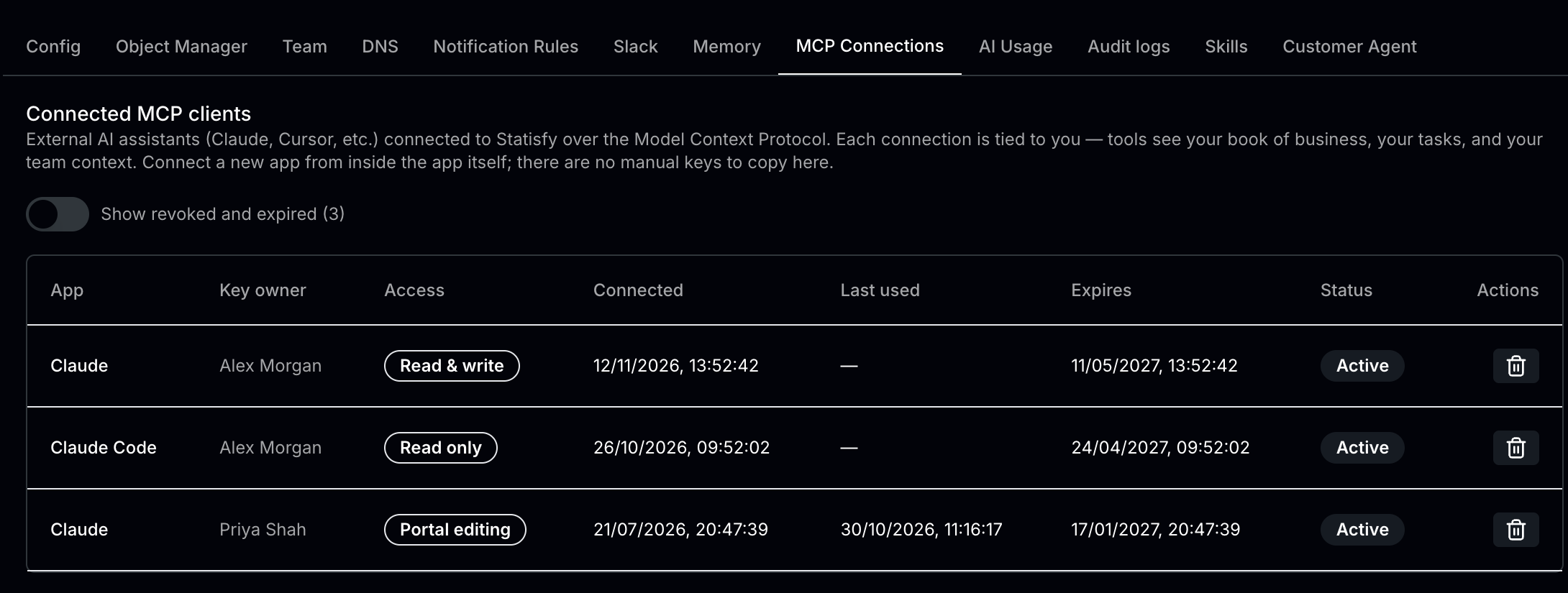
- Only active connections show at first. To see revoked and expired ones too, turn on Show revoked and expired (N) above the list, where N is how many are hidden.
- Admins see every connection in the workspace and can disconnect any of them. Everyone else sees and disconnects only their own.
- Each person has one active connection per app. Connecting the same app again replaces the earlier connection, and Statisfy revokes it.
- Connections expire after 180 days. To keep using a connection, connect again from your AI assistant.
Disconnect a connection
- Find the connection in the list.
- Click the trash icon under Actions, then confirm in the Disconnect MCP client dialog.
- The connection stops working immediately. To use it again, its owner connects again from their AI assistant.
Disconnecting Statisfy inside Claude removes the connection from Claude. To be sure Statisfy no longer accepts it, also disconnect it here.