

Accessing Customer Insights Settings
Navigate to Settings, open the Memory tab, and select the Health Memory sub-tab. You need admin permissions to see this sub-tab. The Memory tab also contains Company Context, your organization’s authored conventions for AI responses. The Health Memory page shows aggregated learnings generated from CSM overrides to AI health assessments across customer accounts. When insights exist, a Last updated timestamp appears under the heading so you know when the learnings were last refreshed.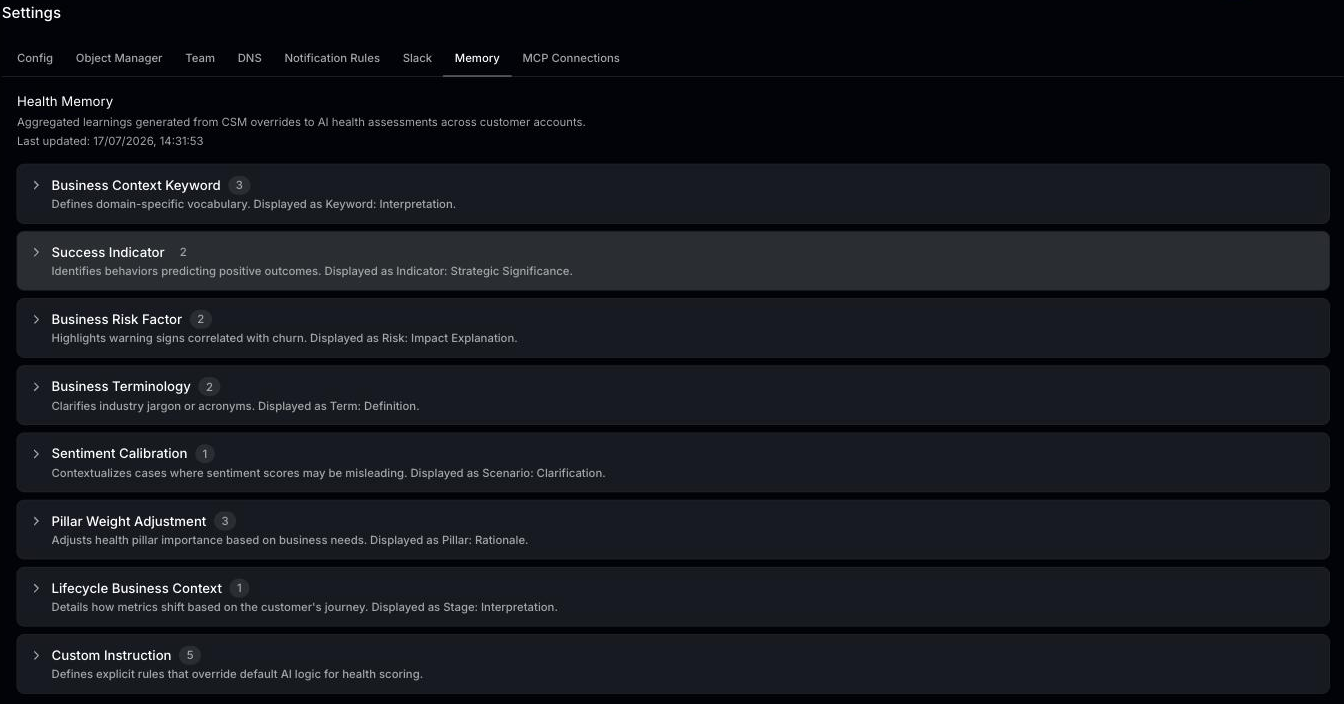
What Are Customer Insights?
Customer insights are AI-generated knowledge items that help Statisfy’s health scoring model understand your specific business context. They are derived from patterns in your data and from CSM health overrides — when a CSM manually adjusts an account’s health, the AI learns from that feedback. Insights are organized into categories that reflect what the AI has learned — for example, signals of healthy or at-risk customers, or context specific to your business. The exact categories you see depend on the learnings generated from your own data and overrides.Viewing Insights
The Health Memory page displays all generated insights grouped into collapsible category sections. Each section title shows a count badge (the number of insights in that category) and a short hint describing the format of the insights below it. Sections are collapsed by default — click a section title to expand it and reveal the individual insights, which appear as rows within the section.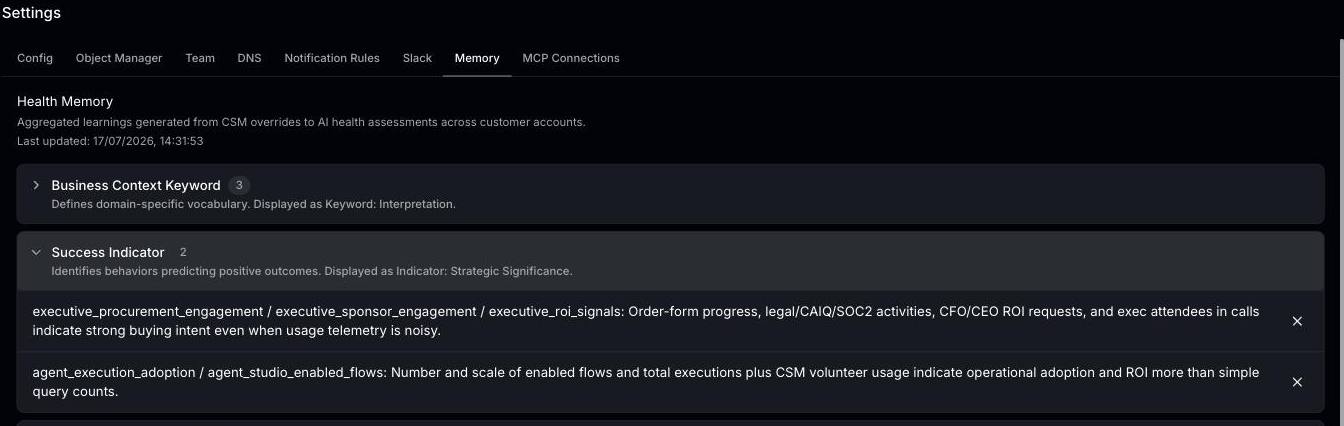
Managing Insights
You can manage insights from the list:- Expand/Collapse sections — Click a category section title to show or hide the insights in it
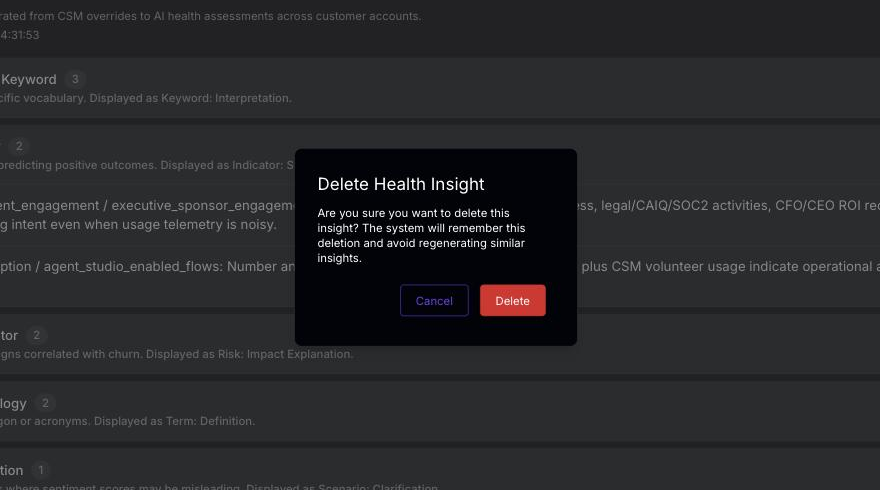
- Delete an insight — Click the X icon on the right of an insight row. A confirmation dialog titled Delete Health Insight asks “Are you sure you want to delete this insight? The system will remember this deletion and avoid regenerating similar insights.” Click Delete to confirm or Cancel to keep the insight.
Insights are generated automatically on a weekly basis from CSM feedback and health overrides. If no insights have been generated yet, the page shows a message explaining that insights are generated weekly. You do not need to manually trigger insight generation.