> ## Documentation Index
> Fetch the complete documentation index at: https://help.statisfy.com/llms.txt
> Use this file to discover all available pages before exploring further.

# Editing Tasks And Comments

> In this article, you'll learn how to edit a task and add comments in a few simple steps.

## Video Tutorial

<video controls className="w-full aspect-video rounded-xl" src="https://publicassets.us.prod.clueso.io/2f8a9fc9-c323-4fe7-909f-ec00073876d9/f5fd8622-4463-494e-b6ce-d4adaa4a23ac/published_v6/video.mp4" />

In this article, you'll learn how to edit a task and add comments in a few simple steps.

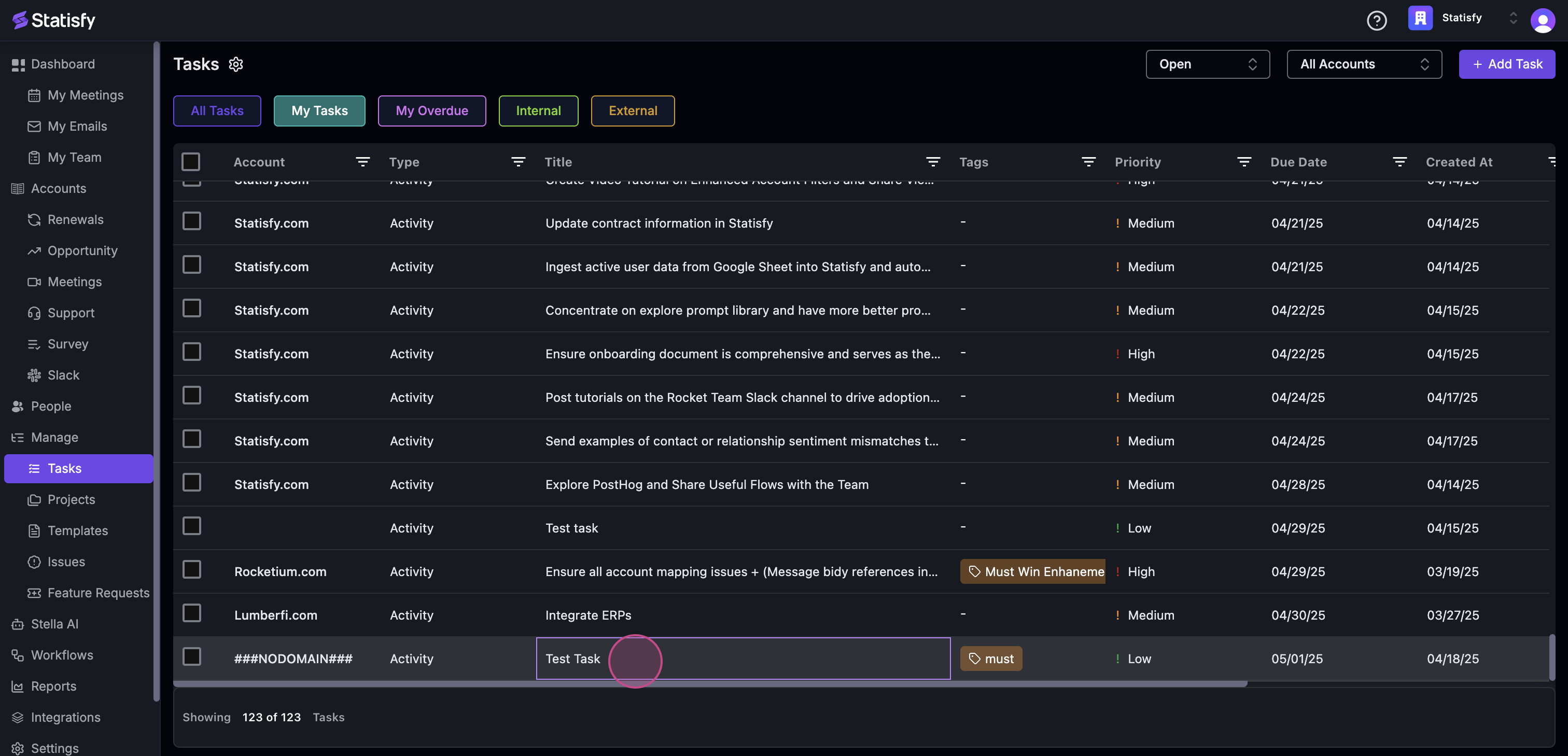
**Step 1:** Start by clicking on the task you want to edit.
![](https://usercontent.us.prod.clueso.io/2f8a9fc9-c323-4fe7-909f-ec00073876d9/f5fd8622-4463-494e-b6ce-d4adaa4a23ac/1d19828a-2ce9-482f-ad89-34ca513d8a19/images/2e26d8b5-54c7-4abe-9fe8-1023ba0aa2ec.png)

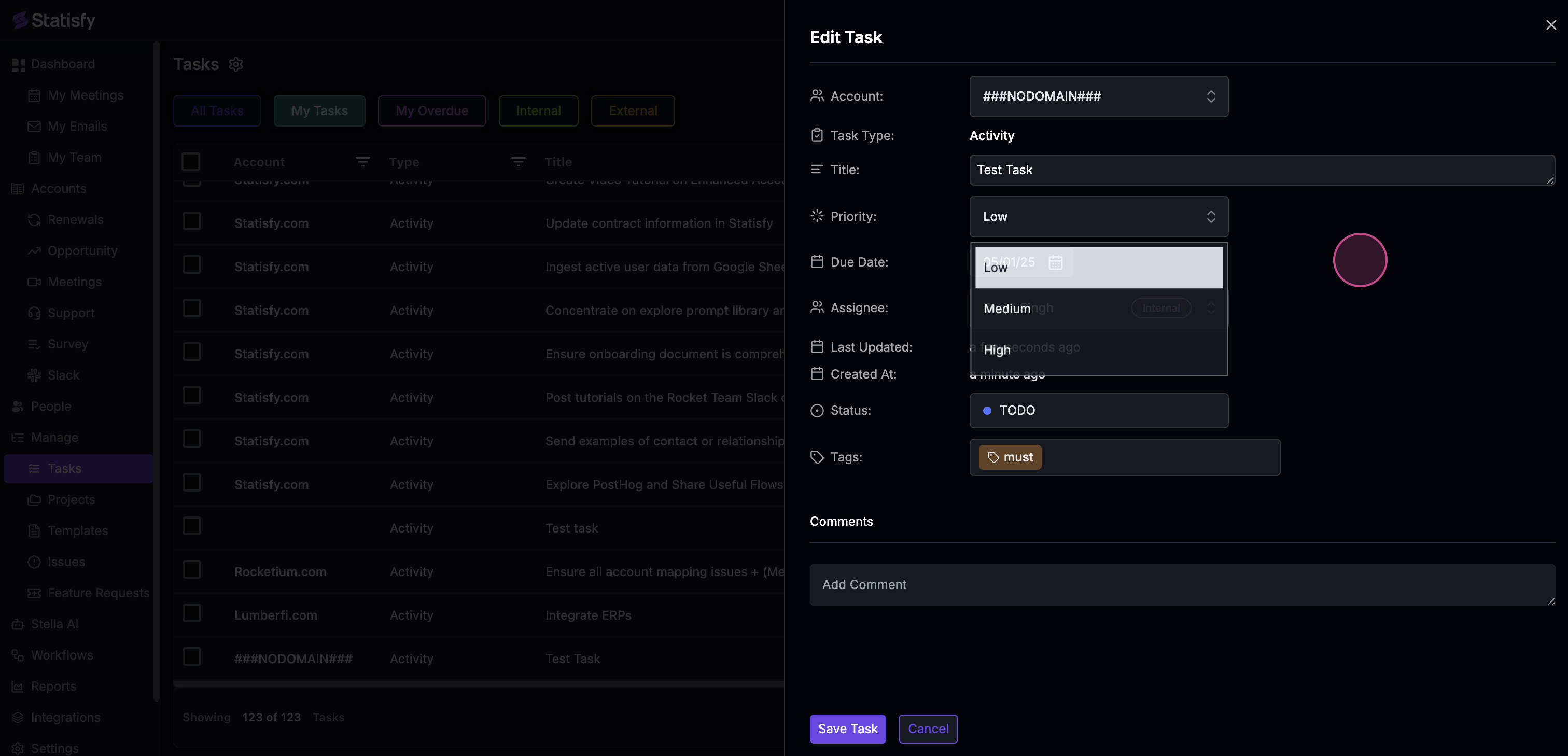
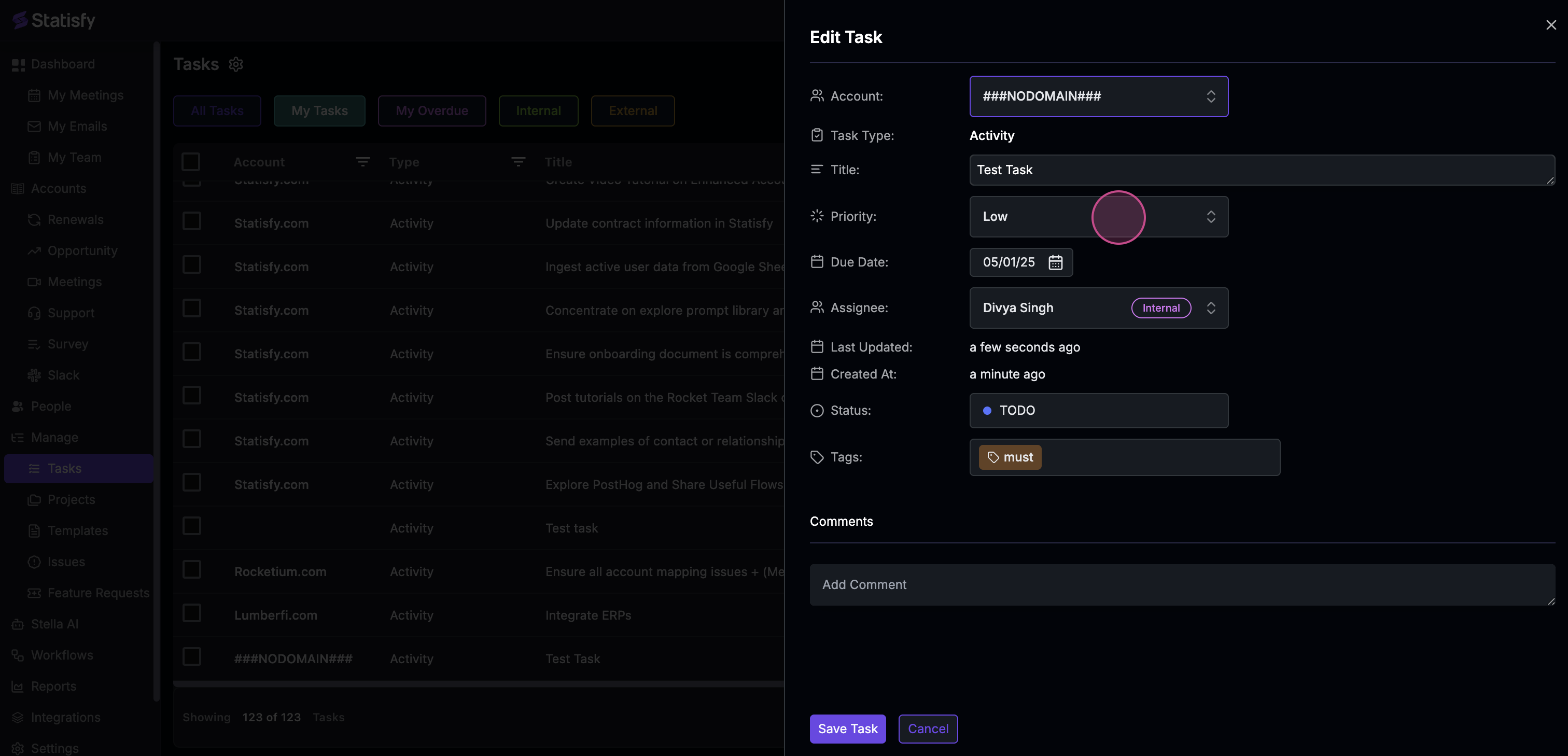
**Step 2:** Now, you're ready to edit the task details. Begin with the task's priority.
![](https://usercontent.us.prod.clueso.io/2f8a9fc9-c323-4fe7-909f-ec00073876d9/f5fd8622-4463-494e-b6ce-d4adaa4a23ac/1d19828a-2ce9-482f-ad89-34ca513d8a19/images/4ed7a639-13d1-446f-9d05-607aac22b716.png)

![](https://usercontent.us.prod.clueso.io/2f8a9fc9-c323-4fe7-909f-ec00073876d9/f5fd8622-4463-494e-b6ce-d4adaa4a23ac/1d19828a-2ce9-482f-ad89-34ca513d8a19/images/d91150ff-bd42-475f-9d0e-102c33cafe59.png)

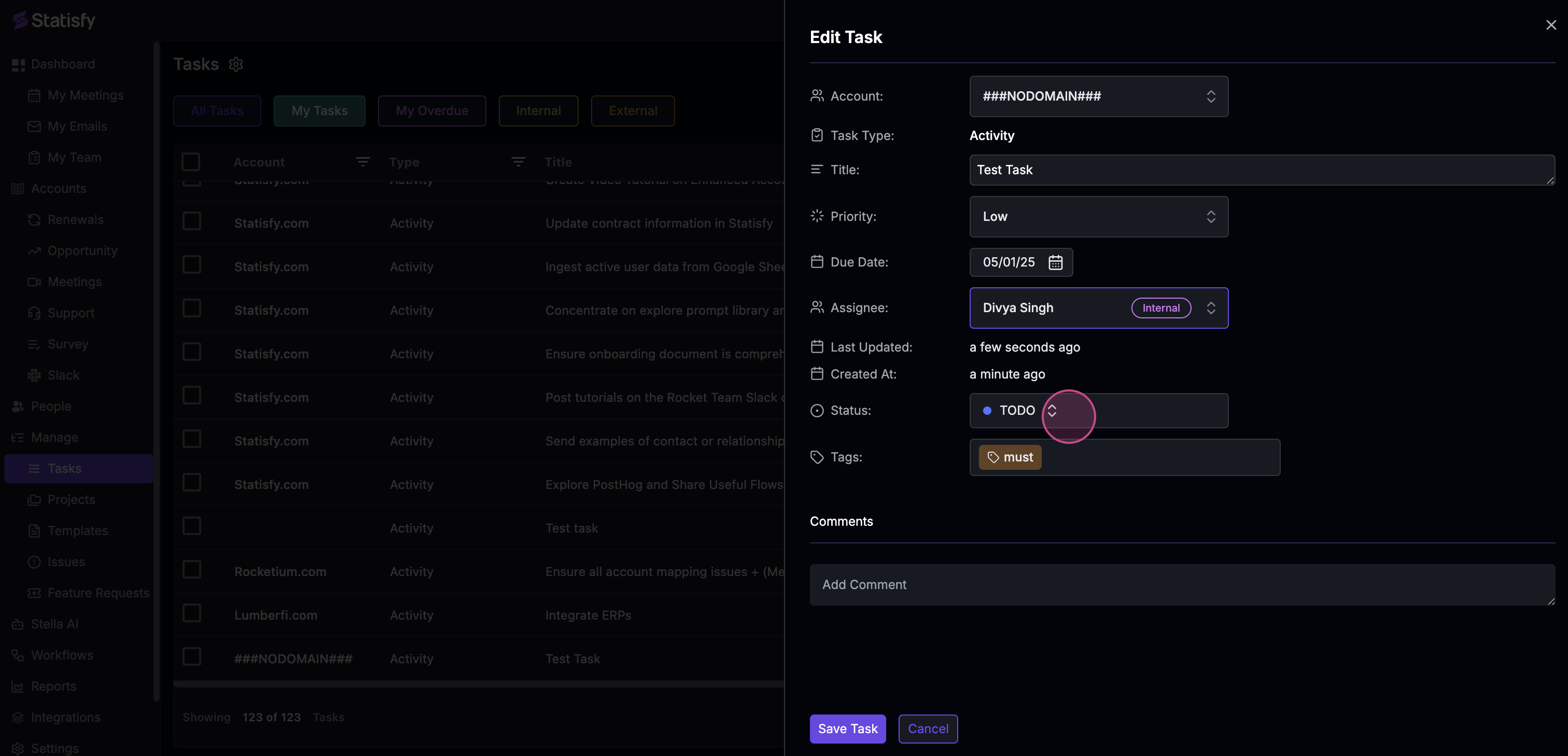
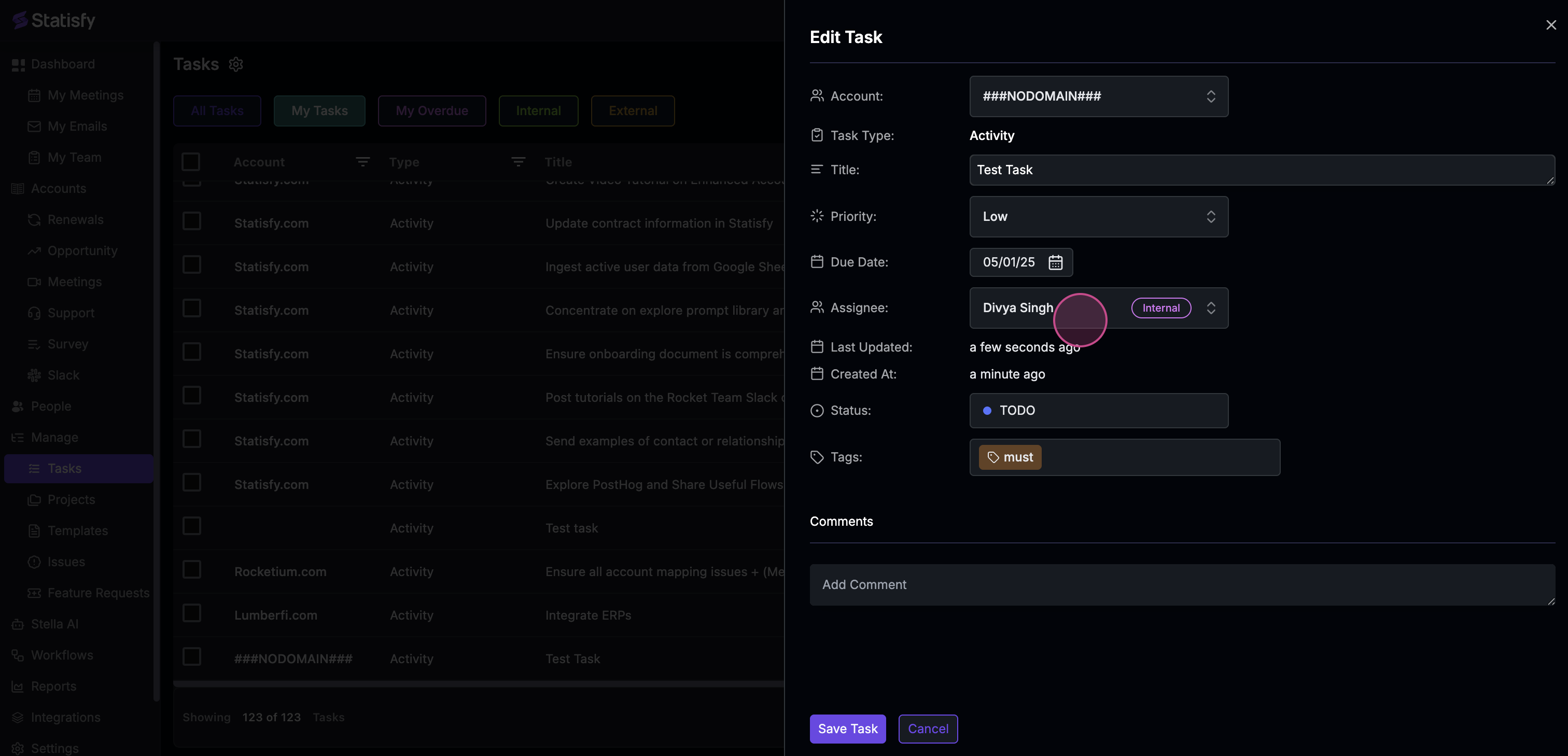
**Step 3:** Next, modify the assignee of the task.
![](https://usercontent.us.prod.clueso.io/2f8a9fc9-c323-4fe7-909f-ec00073876d9/f5fd8622-4463-494e-b6ce-d4adaa4a23ac/1d19828a-2ce9-482f-ad89-34ca513d8a19/images/6b211e23-1df7-4112-878d-9fc5d086ce5f.png)

![](https://usercontent.us.prod.clueso.io/2f8a9fc9-c323-4fe7-909f-ec00073876d9/f5fd8622-4463-494e-b6ce-d4adaa4a23ac/1d19828a-2ce9-482f-ad89-34ca513d8a19/images/dfb68aa3-a66b-4d2f-b41d-7ffa0909837f.png)

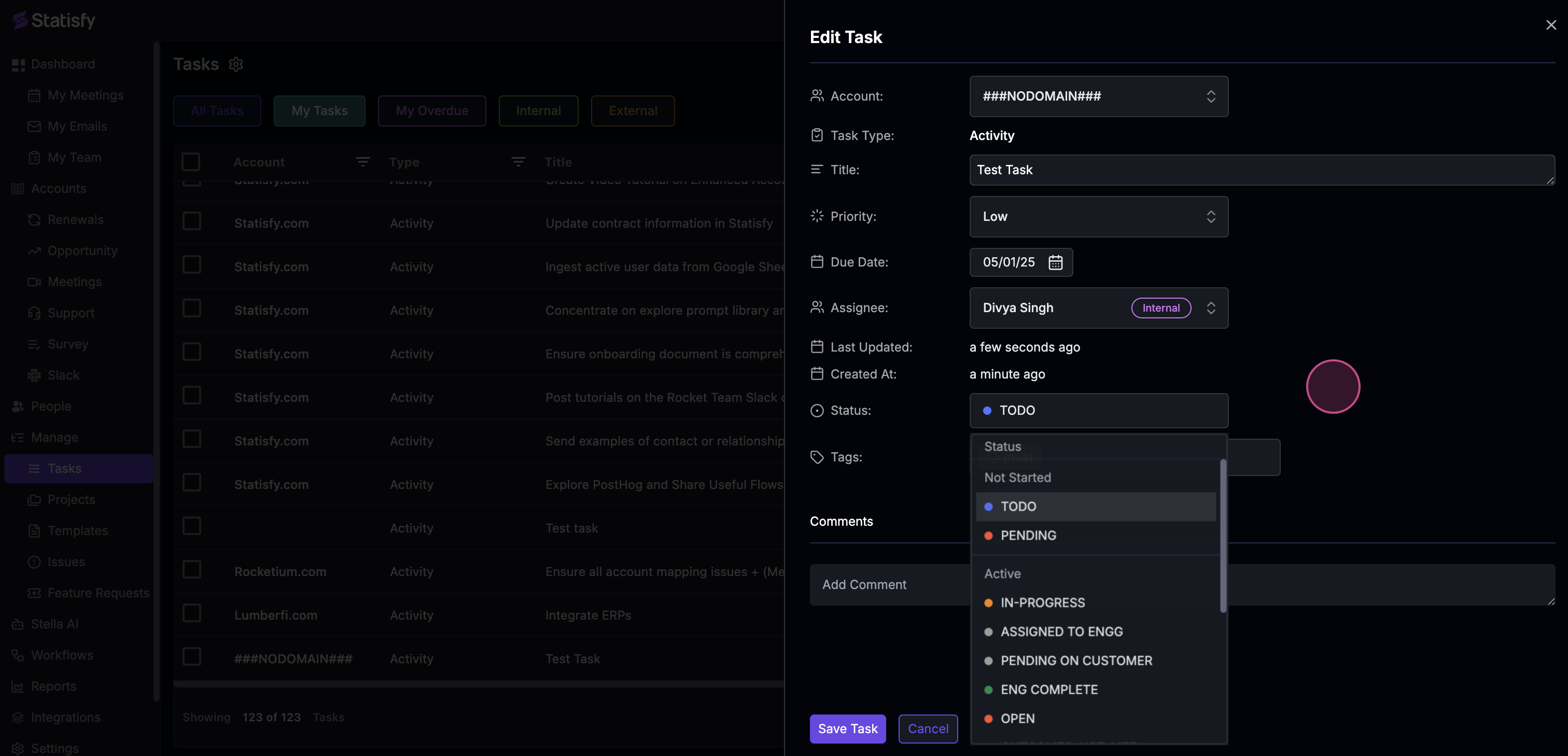
**Step 4:** Adjust the status of the task.
![](https://usercontent.us.prod.clueso.io/2f8a9fc9-c323-4fe7-909f-ec00073876d9/f5fd8622-4463-494e-b6ce-d4adaa4a23ac/1d19828a-2ce9-482f-ad89-34ca513d8a19/images/c8af7673-b6e8-4dcb-89a9-0681219f6b3d.png)

![](https://usercontent.us.prod.clueso.io/2f8a9fc9-c323-4fe7-909f-ec00073876d9/f5fd8622-4463-494e-b6ce-d4adaa4a23ac/1d19828a-2ce9-482f-ad89-34ca513d8a19/images/f87a91d7-8faf-4f32-8658-c4a16bf55ae4.png)

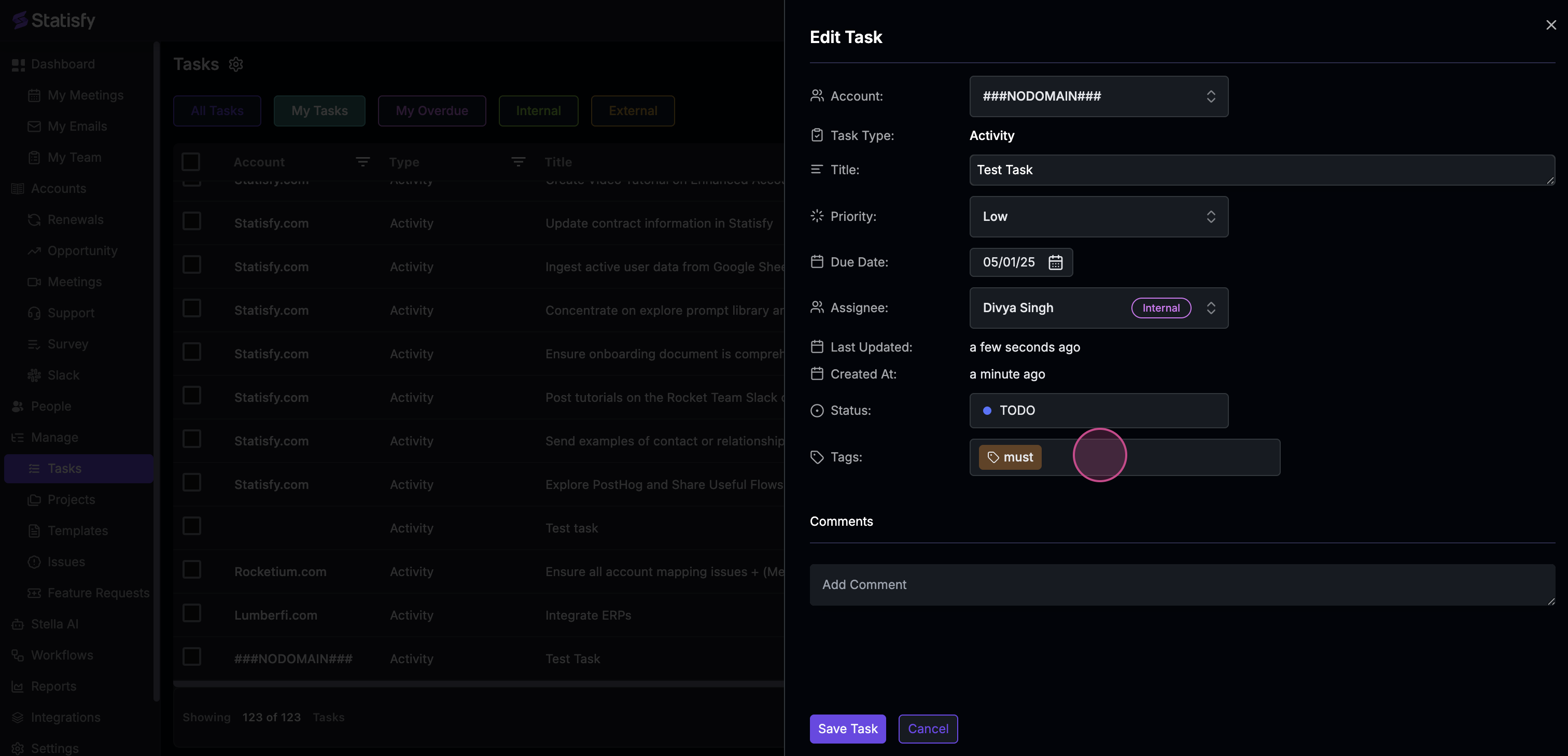
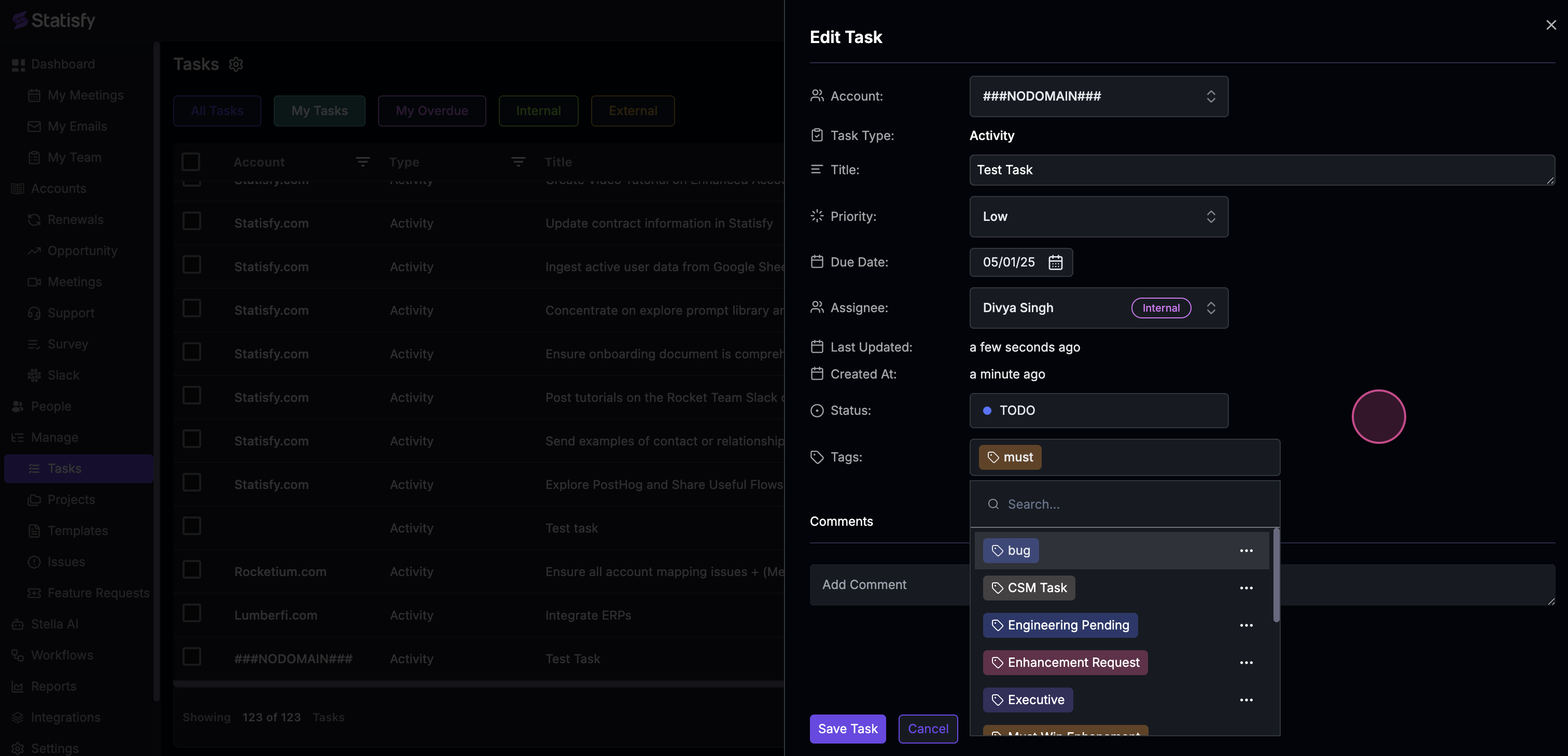
**Step 5:** Enhance your task by adding new tags.
![](https://usercontent.us.prod.clueso.io/2f8a9fc9-c323-4fe7-909f-ec00073876d9/f5fd8622-4463-494e-b6ce-d4adaa4a23ac/1d19828a-2ce9-482f-ad89-34ca513d8a19/images/30924f27-b783-4371-a1fe-84afc60dd2f9.png)

![](https://usercontent.us.prod.clueso.io/2f8a9fc9-c323-4fe7-909f-ec00073876d9/f5fd8622-4463-494e-b6ce-d4adaa4a23ac/1d19828a-2ce9-482f-ad89-34ca513d8a19/images/ca71205a-77a7-4127-b6dd-149b4cf37e88.png)

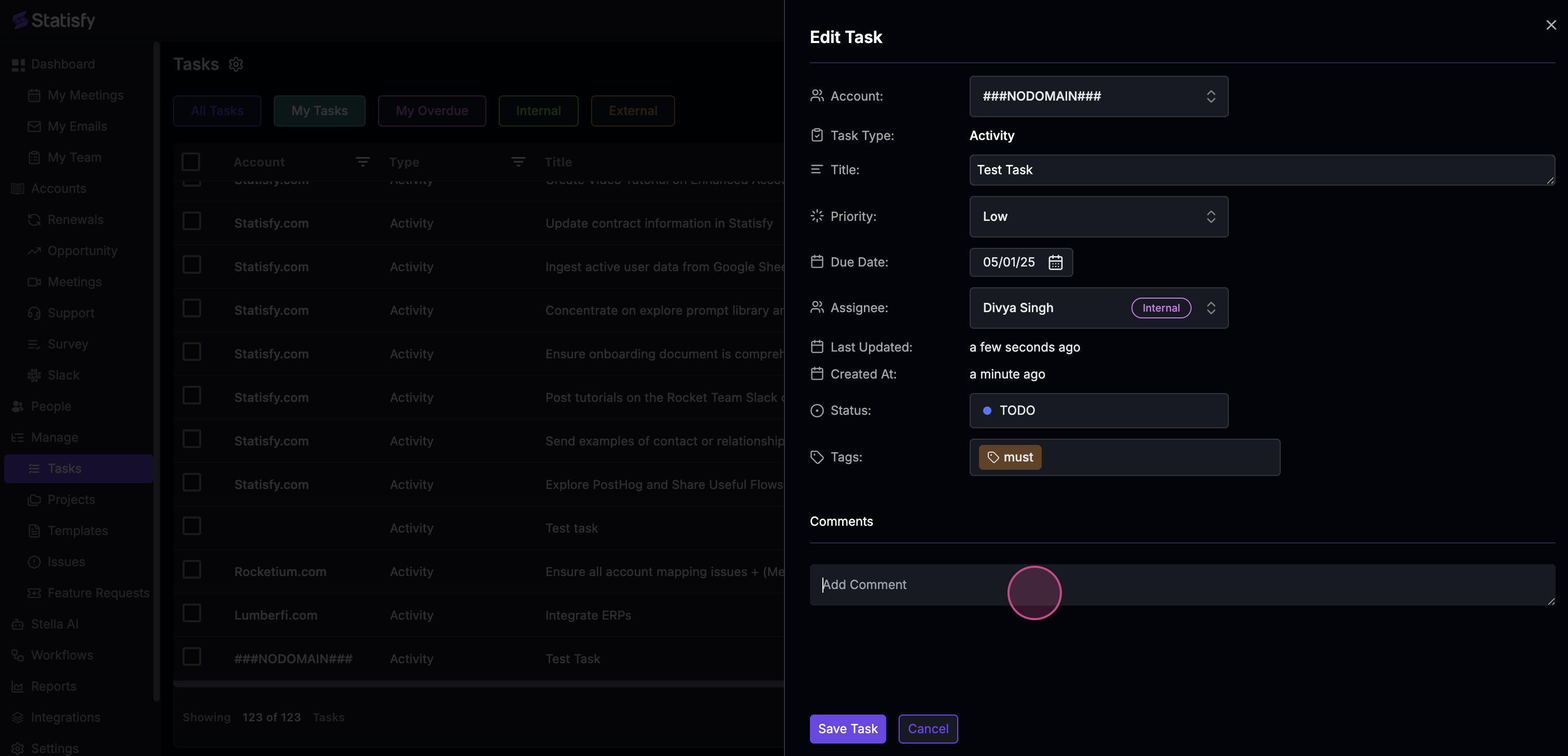
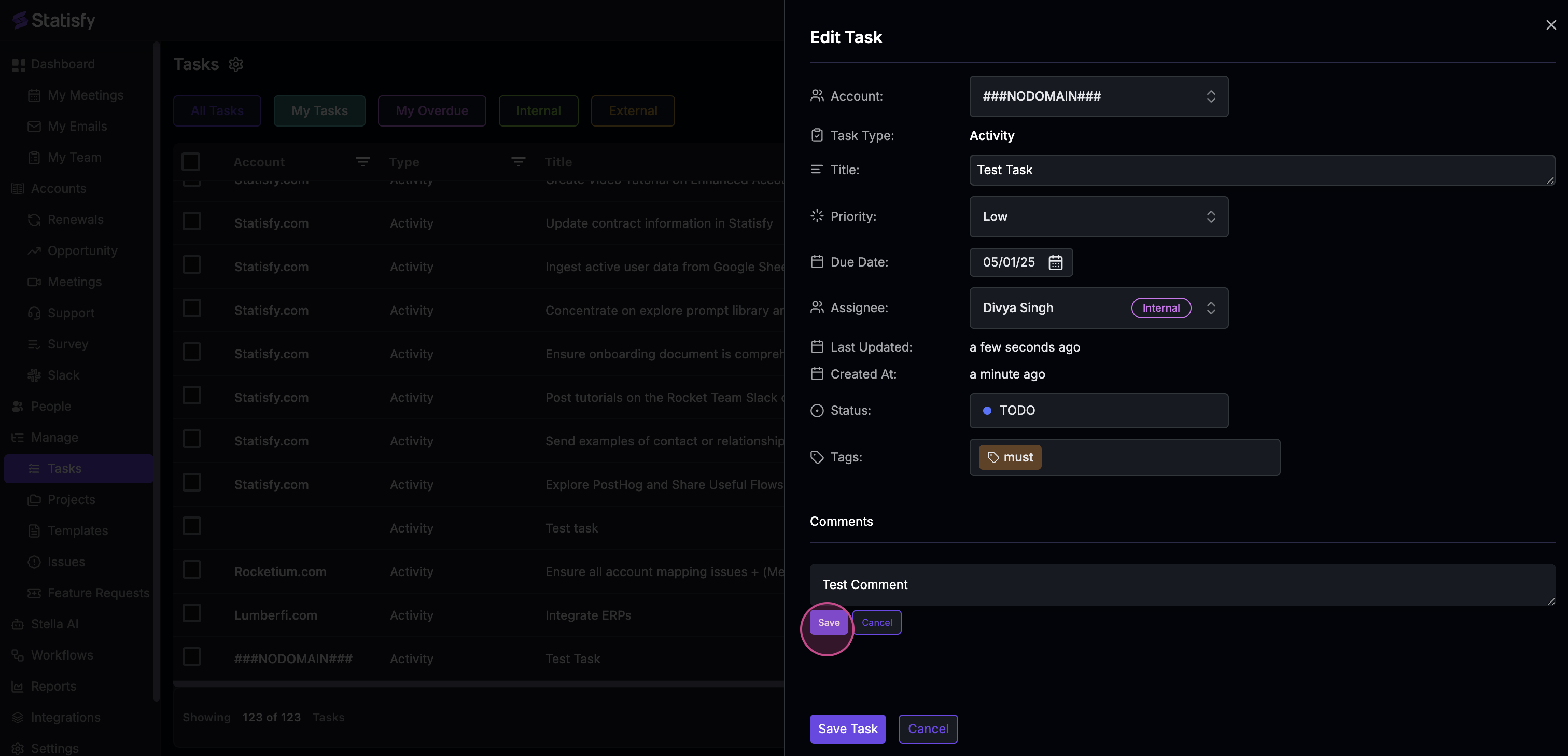
**Step 6:** If necessary, add a new comment to the task. Remember to hit the **Save** button to keep your comment.
![](https://usercontent.us.prod.clueso.io/2f8a9fc9-c323-4fe7-909f-ec00073876d9/f5fd8622-4463-494e-b6ce-d4adaa4a23ac/1d19828a-2ce9-482f-ad89-34ca513d8a19/images/322e7a2e-eae4-4703-ac52-80fc9699de7d.png)

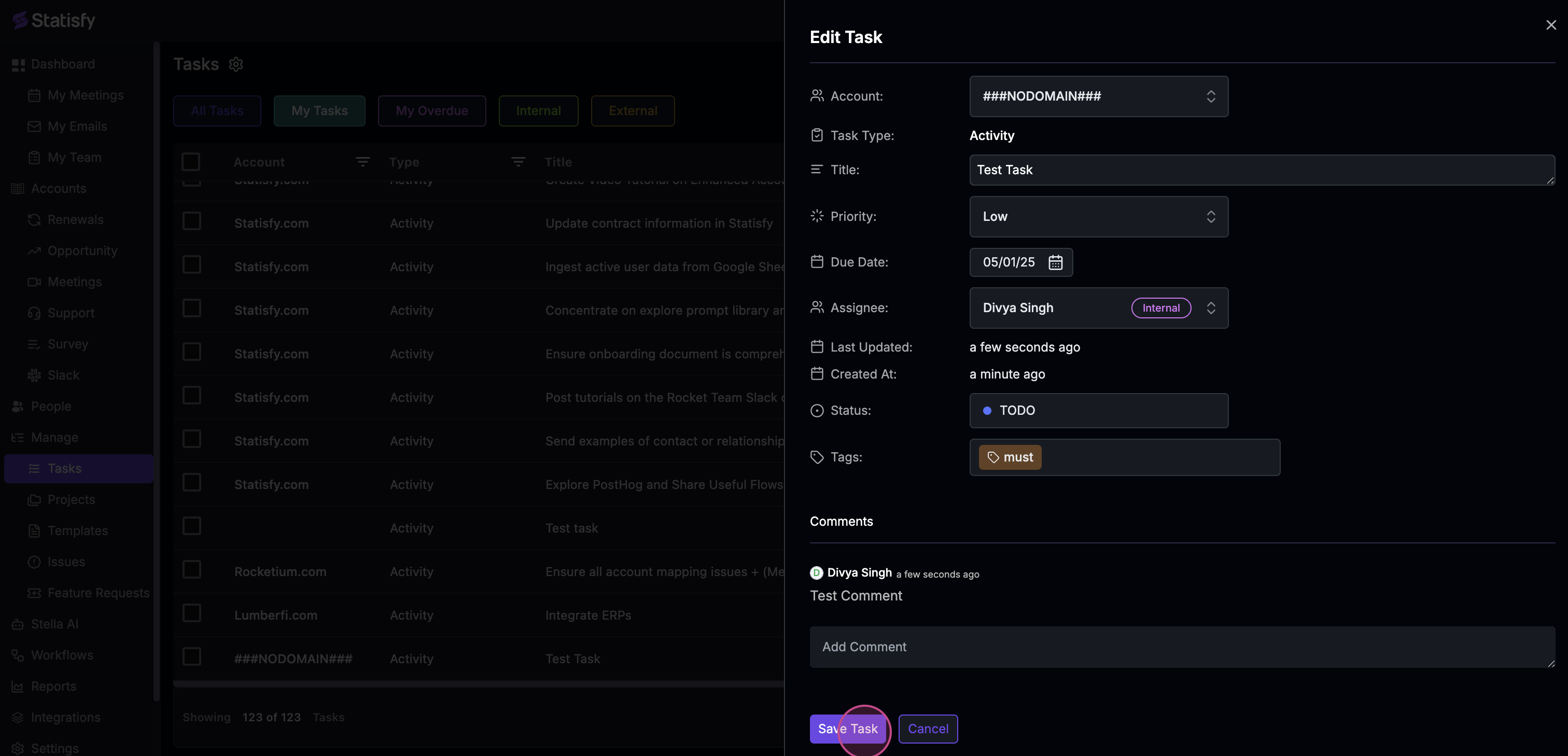
**Step 7:** Finally, click on **Save task** to finalize your edits.
![](https://usercontent.us.prod.clueso.io/2f8a9fc9-c323-4fe7-909f-ec00073876d9/f5fd8622-4463-494e-b6ce-d4adaa4a23ac/1d19828a-2ce9-482f-ad89-34ca513d8a19/images/4f5c4839-16d4-48dd-8f5f-f3273ed4abc1.png)

And that's it! You've successfully edited a task and added a comment.

<Note>
  If this task belongs to a project with **auto-cascade dates** enabled, changing the task's start or due date may automatically shift dependent tasks, subtasks, and parent task end dates. See [Task Dependencies & Auto-Cascade Dates](/projects/task_dependencies_and_cascading) for details.
</Note>