> ## Documentation Index
> Fetch the complete documentation index at: https://help.statisfy.com/llms.txt
> Use this file to discover all available pages before exploring further.
# Milestones & Task Hierarchy
> Structure your projects with milestones, subtasks, and multi-level task hierarchies.
Projects in Statisfy organize tasks in a tree structure — root-level tasks can have subtasks, and milestones unlock an extra level of nesting. This page explains how the hierarchy works and what limits apply.
## Prerequisites
* An existing project open in the **Manage > Projects** section
* Familiarity with adding tasks via the **Add Task/Milestone** button in the project task grid
* To reparent tasks via drag and drop, the project must be a Statisfy-native project (see [Reorder & Reparent Tasks](/projects/drag_drop_task_ordering))
***
## Task Hierarchy
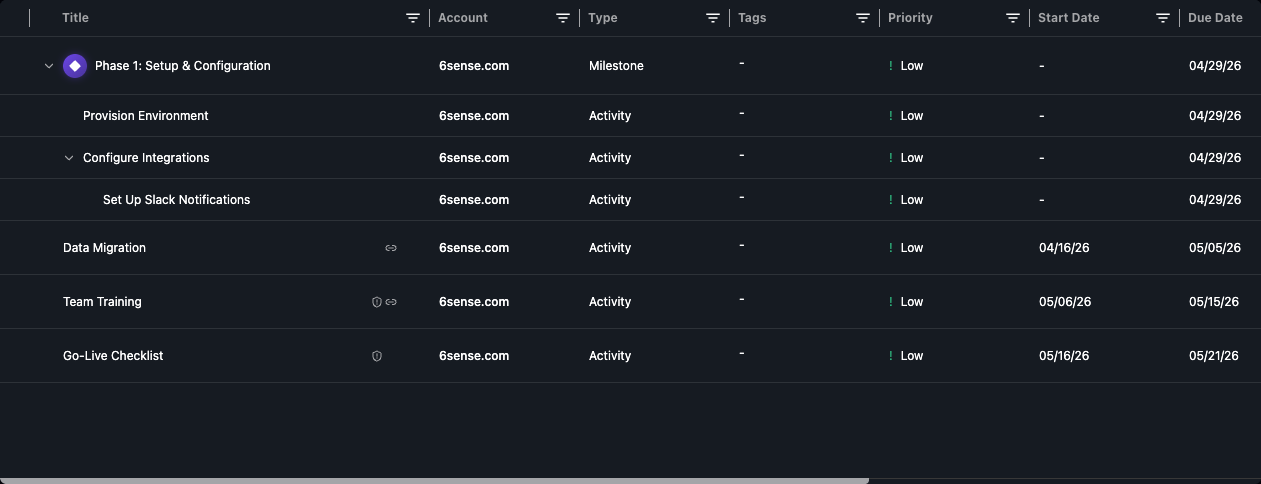
Every project task exists at a specific level in the tree:
* **Root tasks** sit at the top level of the project
* **Subtasks** are children of a root task
* **Sub-subtasks** are children of a subtask (only available under milestones)
You can add a subtask by clicking the **Add Subtask** action on any task, or by dragging a task onto another task's middle drop zone (see [Reorder & Reparent Tasks](/projects/drag_drop_task_ordering)).
***
## Milestones
Milestones are a special task type that represent significant project checkpoints. They differ from regular tasks in one key way: **milestones allow one extra level of nesting**.
To create a milestone, select **Milestone** as the task type when adding a new root-level task.
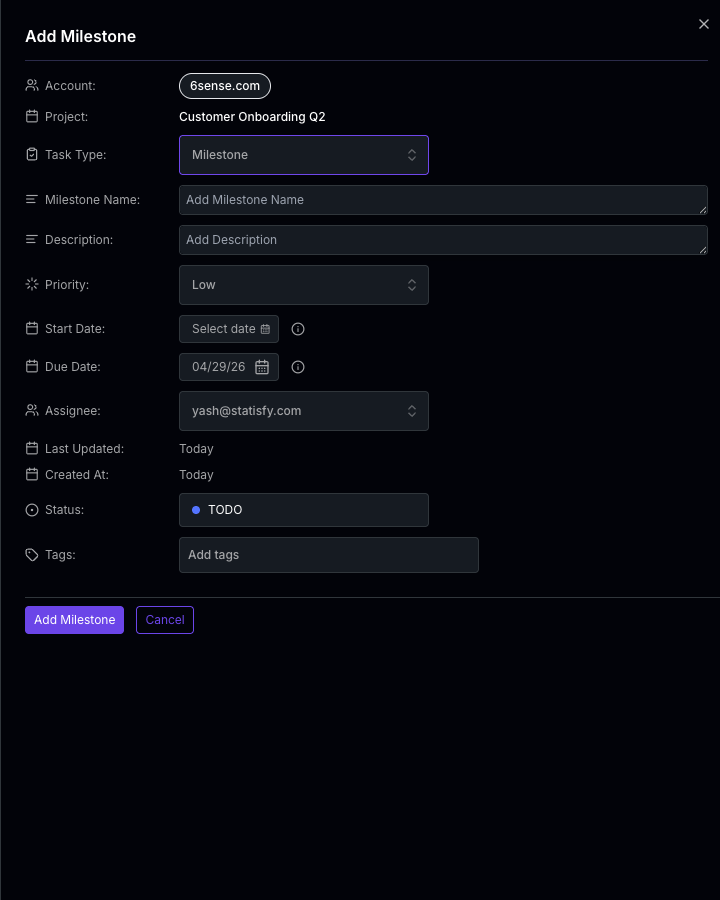
Milestones must be created at the root level of a project. You cannot convert an existing subtask into a milestone.
***
## Depth Limits
The maximum nesting depth depends on the root task type:
| Root Task Type | Max Levels | Structure |
| -------------- | ---------- | --------------------------------- |
| Regular task | 2 | Task → Subtask |
| Milestone | 3 | Milestone → Subtask → Sub-subtask |
You cannot nest tasks beyond these limits. If you try to add a subtask or drag a task to a level that would exceed the maximum depth, the operation is blocked.
These depth limits also apply when reparenting tasks via drag and drop — the system checks the full subtree depth of the task being moved to ensure the target location doesn't exceed the limit.
***
## How Hierarchy Interacts with Dependencies
Task dependencies can only be created between **sibling tasks** — tasks that share the same parent. This means:
* Two root-level tasks can depend on each other
* Two subtasks under the same parent can depend on each other
* A root-level task and a subtask **cannot** depend on each other
If you reparent a task (move it to a different parent), **all dependencies on that task will be removed** — both where it is a blocker and where it is a dependent.
For full details on how dependencies and auto-cascade work with the task hierarchy, see [Task Dependencies & Auto-Cascade Dates](/projects/task_dependencies_and_cascading).
***
## Related Pages
Manage blocking relationships and automatic date cascading
Use drag and drop to restructure your task hierarchy